
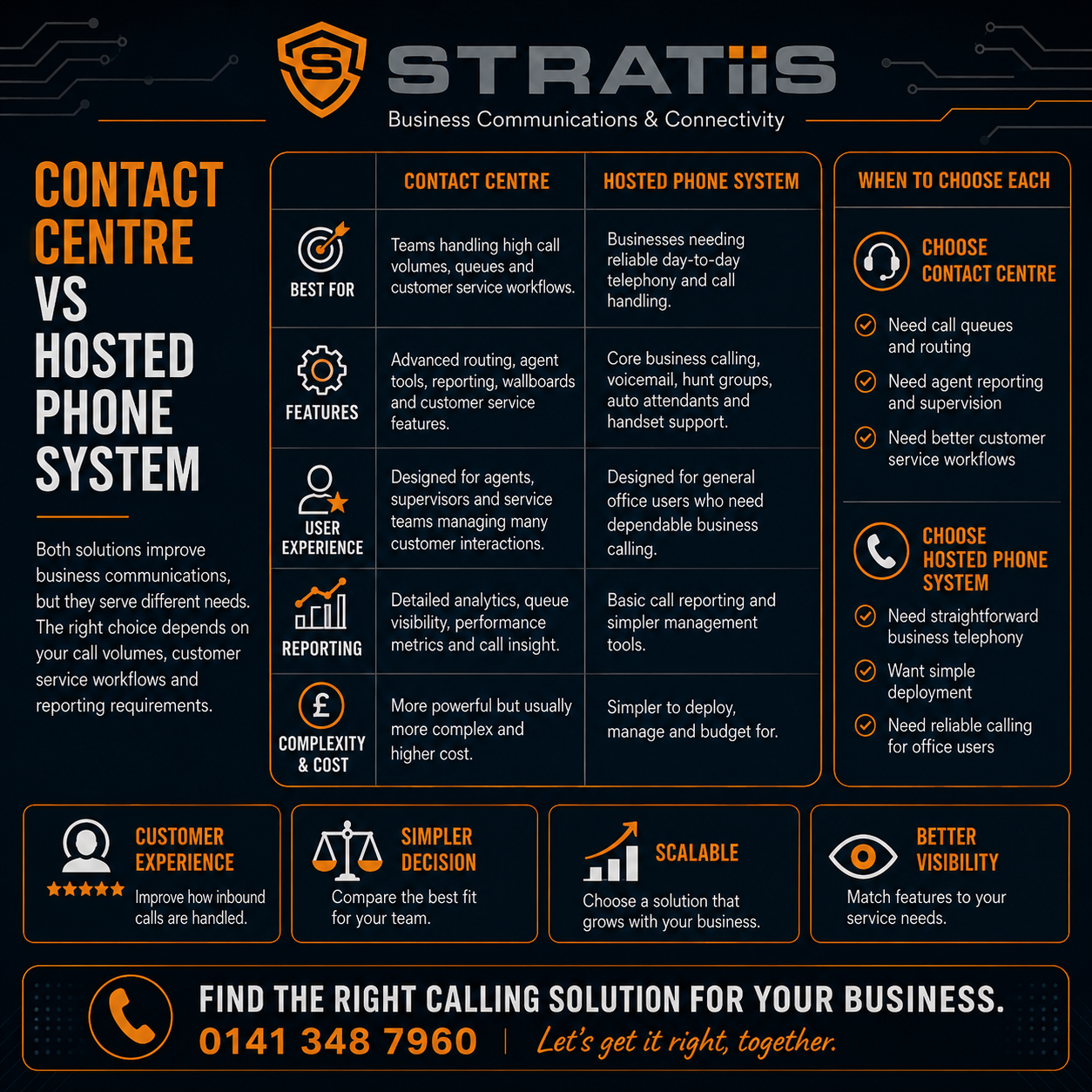
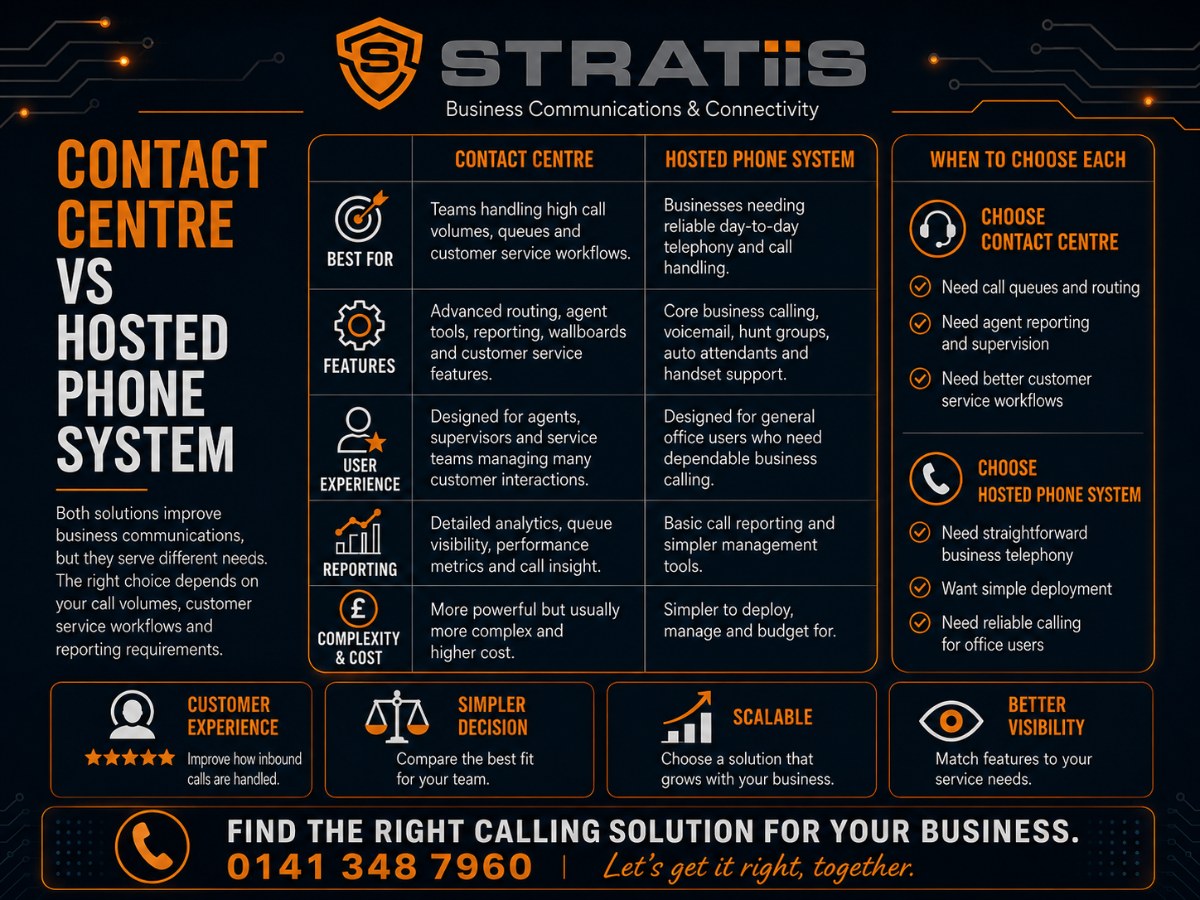
A hosted phone system supports everyday business calling. A contact centre manages higher volumes of structured customer interactions with deeper routing, reporting, supervision and service controls. Many organisations need hosted telephony for most employees and contact-centre licences only for dedicated service teams.
What is the main difference?
A hosted phone system is organised around employees making, receiving and transferring calls. A contact centre is organised around customer demand: who is waiting, which agent should respond, whether service targets are being met and what managers need to improve. Choose the simpler platform when ordinary calling and basic queues are enough; choose a contact centre when customer interactions are a managed operational function.
In this guide
TWO DIFFERENT LEVELS OF COMMUNICATION
What Is a Hosted Phone System and What Is a Contact Centre?
Hosted phone system
A cloud telephone service for everyday business calling. It normally provides numbers, extensions, voicemail, transfers, auto attendants, hunt groups, basic queues, applications and straightforward call reporting.
Contact centre
A platform for managing customer interactions at greater scale. It can add advanced queues, skills-based routing, service levels, live dashboards, quality management, workforce planning, CRM workflows and digital channels.
A cloud contact centre may also be described as Contact Centre as a Service, or CCaaS. A hosted phone system may be marketed as Hosted Voice, cloud telephony, hosted PBX, VoIP or part of a Unified Communications platform.
The labels are less important than the actual capability. Some hosted platforms include enhanced queues and supervisor tools, while some entry-level contact centres offer little beyond better routing and reporting.
COMPARE THE OPERATING MODEL
Contact Centre vs Hosted Phone System at a Glance
| Area | Hosted phone system | Contact centre |
|---|---|---|
| Main purpose | Everyday business calling | Structured customer service |
| Typical users | Most employees | Dedicated agents and supervisors |
| Queues | Basic queues and hunt groups | Advanced, skills-based and priority routing |
| Reporting | Calls, duration and missed calls | Wait time, abandonment, service level, outcomes and quality |
| Supervision | Basic status and optional monitoring | Live dashboards, monitor, whisper, barge and coaching |
| Customer channels | Mainly voice | Voice, email, chat, SMS and messaging |
| CRM integration | Click-to-call or simple screen pop | Customer context, routing, case creation and workflow |
| Workforce planning | Usually manual | Forecasting, schedules and adherence options |
| Implementation | Quicker and simpler | More discovery, design, integration and training |
| Cost | Lower | Higher, reflecting deeper operational control |
MATCH THE PLATFORM TO THE WORK
Which System Should Your Business Choose?
Choose hosted telephony when
Calls are one part of each employee’s role, volumes are moderate, basic groups and queues are enough, reporting needs are modest and simplicity matters.
Choose a contact centre when
Handling customer interactions is a dedicated function, queues are business critical, service targets matter and supervisors need live operational control.
Use a blended design when
Customer-service agents need contact-centre capability while finance, HR, directors and general employees need ordinary hosted calling.
The nature of the work matters more than company size. A ten-person specialist helpline may need a contact centre, while a fifty-person professional-services firm may be well served by Hosted Voice.
ROUTING AND CUSTOMER WAITING
Is a Call Queue the Same as a Contact Centre?
No. A call queue is one capability. A hosted system can hold incoming calls, play announcements and send callers to a team. That may be enough for reception, accounts, general enquiries or a small sales group.
Hunt group
Rings a defined group simultaneously, in order, on rotation or by longest idle time. It provides simple distribution with limited service measurement.
Skills-based routing
Sends an interaction to an employee with the right product, language, technical or service knowledge.
Priority routing
Moves urgent or high-priority interactions ahead under agreed rules, such as emergency repairs or vulnerable customers.
A contact centre connects routing with agent availability, customer context and queue performance. It can measure waiting, abandonment and service levels, then help managers decide whether workflows or staffing need to change.
VISIBILITY AND SERVICE CONTROL
Which System Provides Better Reporting and Supervisor Tools?
A contact centre normally provides much deeper operational reporting. A hosted platform may show calls made, received, missed and their duration. A contact centre can add measures that explain customer experience and team capacity.
How long customers wait before an agent answers.
The percentage of interactions answered within an agreed time.
How many customers leave the queue before receiving help.
Time spent on the interaction and completing the follow-up.
Who is available, busy, on a call, in training or completing work.
Whether the correct process was followed and the enquiry was resolved.
Supervisor tools may include live wallboards, call monitoring, whisper coaching and barge-in support. They require clear policies and responsible management. More data only creates value when leaders understand what the measures mean and act on them.
For recording, scoring and analytics requirements, see Call Recording, Analytics and Compliance.
OMNICHANNEL AND BUSINESS SYSTEMS
Do You Need Email, Chat, Messaging and CRM Integration?
A hosted phone system is normally centred on voice. A contact centre can bring telephone calls, email, web chat, SMS and messaging into one agent workspace and queue. This is often described as omnichannel service.
Use channels selectively
Do not add every channel simply because it is available. Each one needs ownership, response targets, staffing, reporting and a consistent customer experience.
Connect customer context
CRM integration can identify the customer, show relevant history, route by account or case, create records and reduce repeated manual entry.
A simple click-to-call connection may be sufficient for ordinary hosted users. A dedicated service team may need deeper workflow integration with Microsoft Dynamics 365, a housing system, ticketing platform or another line-of-business application.
Explore the broader platform choices through Contact Centre Solutions, Microsoft Teams Phone and Unified Communications.
REMOTE WORK AND CONTINUITY
Which System Is Better for Remote Workers?
Both can support home and hybrid working through desktop applications, mobile apps and approved headsets. A contact centre adds detailed agent states, queue control and supervisor visibility, which can help manage a distributed customer-service team.
Packet loss, delay and jitter matter more than headline download speed.
Managed computers, identity controls and appropriate home-working policies reduce risk.
Document how calls reroute and how staff continue when a home or office connection fails.
Business-critical customer service may justify automatic internet failover and UPS protection.
A contact centre does not always consume dramatically more bandwidth per call, but it may add dashboards, recording, CRM and digital channels. Complete a readiness review and consider Business Connectivity and Internet Failover.
INDICATIVE UK BUDGETS
How Much Do Hosted Phone Systems and Contact Centres Cost?
The ranges below are broad planning figures, exclude VAT and may change. Confirm current licensing, calls, numbers, support and implementation in a dated proposal.
| Service | Indicative monthly range | What may be included |
|---|---|---|
| Core hosted telephony | About £10–£30 per user | Cloud calling, numbers, basic features and applications. |
| Advanced hosted or unified communications | About £20–£50 per user | Enhanced features, support, integration or recording. |
| Voice-focused contact centre | About £40–£90 per agent | Advanced queues, reporting and supervisor capability. |
| Omnichannel contact centre | About £70–£150 per agent | Voice plus digital channels and deeper workflow. |
| Advanced analytics, workforce and AI | About £100–£200+ per agent | Quality, forecasting, analytics, automation and AI options. |
Add setup, call charges, number porting, hardware, recording storage, CRM integration, messaging, connectivity, training and support where required. A fair comparison should show recurring cost, one-off project cost and the three-year total.
WHEN BASIC TELEPHONY STOPS BEING ENOUGH
What Are the Signs You Need a Contact Centre?
High demand or poor routing damages access to service.
Teams rely on spreadsheets, notes or individual callbacks.
Existing reports do not explain wait times, demand or outcomes.
Leaders cannot confirm whether response targets are being met.
Busy periods repeatedly cause queues, overtime or poor service.
Coaching, quality review and escalation depend on ad hoc work.
Voice, email and chat are managed separately without a shared view.
The telephone platform and CRM do not share customer context.
Adding more hunt groups may increase complexity without solving the underlying problem. Review interaction volumes, queue performance, customer impact, reporting, compliance and supervisor needs before choosing a platform.
COMPARE PROPOSALS PROPERLY
What Should You Ask a Provider?
Why this platform?
Ask which current problems require a contact centre and whether improved hosted queues could meet the need.
Who needs which licence?
Separate agents, supervisors, occasional users and normal hosted-phone employees.
Can you demonstrate it?
See the required routing, dashboards, reports, recording, digital channels and CRM workflow.
What does implementation include?
Confirm discovery, design, number porting, integration, testing, training, migration and launch support.
Who owns the service?
Define responsibilities for queues, reports, recording policies, integrations, staffing and changes.
What is the complete cost?
Compare recurring, usage, one-off, optional and three-year costs with assumptions and annual increases.
FREQUENTLY ASKED QUESTIONS
Questions About Contact Centres and Hosted Phone Systems
Does a small business need a contact centre?
Company size alone does not decide it. A small specialist helpline may need structured routing and reporting, while a larger firm with modest call volumes may not.
How many agents justify a contact centre?
There is no fixed threshold. Consider interaction volume, customer impact, queue complexity, reporting, compliance, channels and supervision.
Can Teams Phone be used as a contact centre?
Teams Phone supports ordinary business calling and queues. Dedicated contact-centre products can integrate with Teams when deeper operational capability is required.
Can both systems work together?
Yes. Contact-centre agents and hosted-phone users can share numbers, transfer calls and collaborate while using licence types suited to their roles.
Is call recording available on both?
Usually. A contact centre may add search, quality scoring, transcription, analytics, redaction and links to customer records.
Does every business need omnichannel?
No. Add a channel only when customers use it and the organisation can staff, manage and measure it properly.
Can hosted telephony be upgraded later?
Sometimes. Ask about advanced queues, contact-centre modules, retained numbers, devices, carriers and the migration path before choosing a platform.
Which option is better?
Hosted telephony is better for straightforward business calling. A contact centre is better when customer interactions require active routing, measurement and supervision.
Unsure Which Platform Your Team Needs?
Stratiis can review your call flows, customer-service operation, Microsoft environment, CRM, reporting and connectivity, then recommend a proportionate design.


