
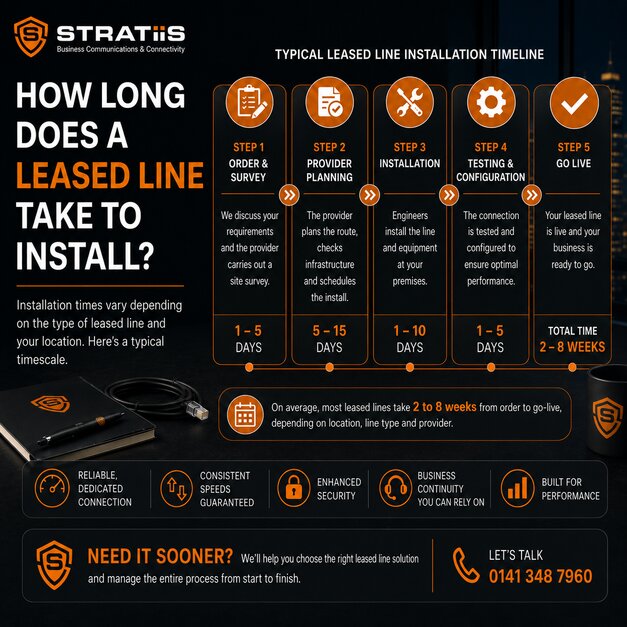
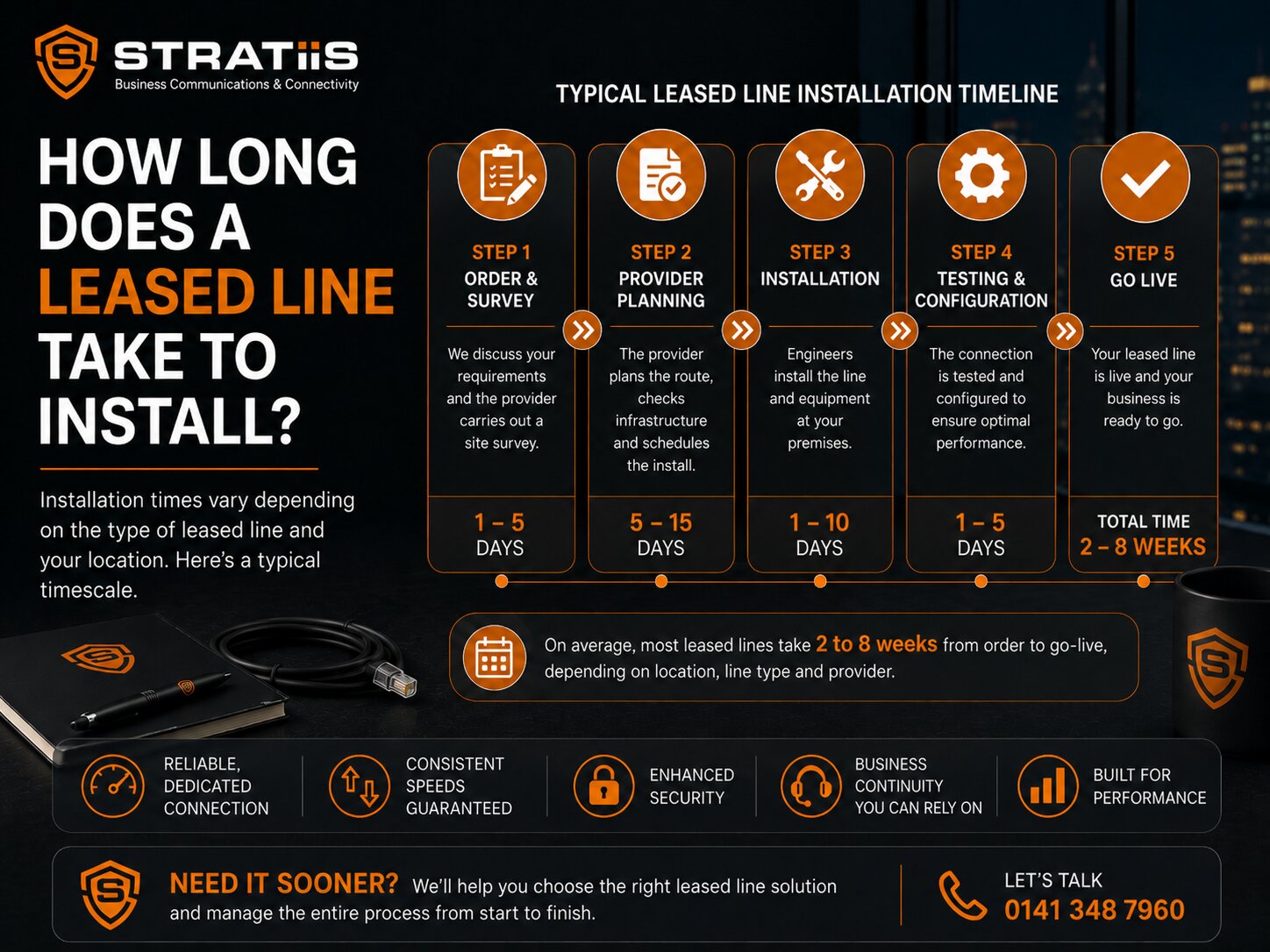
A business leased line in the UK typically takes 45 to 90 working days to install.
A straightforward installation may be completed in approximately 30 to 45 working days where suitable fibre infrastructure already reaches the building.
A more difficult installation can take 90 to 120 working days or longer when the carrier needs:
- New ducting
- Roadworks
- Council permits
- Landlord permission
- A wayleave
- Extensive internal cabling
- Access across third-party land
- Work to clear blocked underground ducts
BT advises that a new BTnet service can take up to 70 working days, depending on the site survey. Virgin Media O2 Business states that a bespoke connection involving local-authority permission can take up to 60 working days. Broader UK market guidance commonly places a standard leased-line installation between 45 and 90 working days.
The most important word is typically.
A provider cannot normally guarantee the final installation date before it knows:
- Where the nearest suitable fibre is located
- Whether the existing ducts can be used
- Whether construction work is required
- Whether the landlord will provide permission
- Whether the local authority must approve roadworks
For that reason, businesses should start the ordering process at least three to four months before the connection is needed.
Where the internet is essential to an office move or service launch, a temporary connection should also be arranged.
What is a leased line?
A leased line is a dedicated business internet connection.
It may also be described as:
- Dedicated Internet Access
- DIA
- Ethernet Internet Access
- Fibre Ethernet
- Dedicated fibre
- Business Ethernet
Unlike standard broadband, a leased line normally provides:
- Dedicated access capacity
- Equal upload and download speeds
- Committed bandwidth
- Business-grade support
- Stronger service levels
- Static IP addresses
- Greater performance consistency
The connection is often built specifically for the customer.
That is why installation normally takes longer than business broadband.
A broadband provider may already have infrastructure designed to serve homes and businesses throughout the area.
A leased-line carrier may need to plan and build a dedicated route into your exact premises.
Why does a leased line take so long to install?
A leased-line installation is not simply a matter of posting a router to the customer.
The carrier may need to:
- Confirm the exact delivery address
- Identify nearby network infrastructure
- Survey the site
- Plan a physical fibre route
- Obtain permissions
- Complete external construction
- Bring the circuit into the building
- Install termination equipment
- Configure the service
- Test the circuit
- Connect the customer router or firewall
Some stages can happen quickly.
Others depend on landlords, councils, contractors and third-party landowners.
The technical configuration may take only a short time.
The physical route is normally what controls the schedule.
What is a realistic leased-line installation timeline?
A typical project may look like this.
Week 1: Order validation
The provider checks:
- Customer details
- Installation address
- Requested speed
- Contract
- Contact information
- Site-access requirements
The order is then submitted to the underlying carrier.
Weeks 1 to 3: Planning and survey
The carrier investigates:
- Existing fibre
- Underground ducts
- Building entry point
- Distance to the network
- Internal equipment location
- Construction requirements
- Permission requirements
A physical site survey may be arranged.
Weeks 2 to 6: Permissions and design
The carrier finalises the route and may request:
- Landlord approval
- Wayleave
- Council permit
- Traffic-management permission
- Access to a communications room
- Approval for internal cabling
Weeks 4 to 10: Construction
Work may include:
- Pulling fibre through existing ducts
- Clearing blocked ducts
- Digging trenches
- Crossing roads
- Installing new ducting
- Bringing fibre into the premises
- Installing internal cabling
Weeks 8 to 12: Equipment and activation
The carrier may install:
- Fibre termination equipment
- Network equipment
- Managed router
The circuit is then configured and tested.
A simple project may skip much of the construction stage and complete earlier.
A complex project may spend months waiting for access or civil engineering.
Can a leased line be installed in less than 30 days?
Sometimes.
A rapid installation may be possible when:
- The building is already connected to the carrier
- Another tenant uses the same network
- The correct fibre reaches the communications room
- Spare carrier capacity is available
- No roadworks are required
- No wayleave is required
- The customer provides immediate access
- The internal network is ready
Some urban installations may complete in 30 to 45 working days, while a pre-connected site can sometimes be activated sooner.
The business should still avoid planning around the fastest possible outcome.
A quotation based on an address check is not the same as a completed site survey.
Can installation take longer than 90 working days?
Yes.
A leased line may take more than 90 working days when:
- Fibre infrastructure is far from the premises
- Underground ducts are blocked or damaged
- A road crossing is required
- The landlord is slow to approve access
- A wayleave needs legal review
- The route crosses third-party land
- The building has access restrictions
- Specialist traffic management is needed
- The carrier needs additional equipment
- Excess Construction Charges are disputed
- The original route proves unsuitable
Complex projects requiring substantial construction or wayleave agreements can extend beyond 90 to 120 working days.
This does not necessarily mean the provider is performing badly.
The delay may sit with another party.
The provider should still explain the cause, owner and next action clearly.
Is the quoted installation date guaranteed?
Usually not at the beginning of the project.
The first date may be described as:
- Target date
- Estimated delivery date
- Contractual delivery date
- Planned completion date
- Committed date
These terms do not always mean the same thing.
The provider may be unable to provide a reliable date until:
- Survey is complete
- Route is approved
- Permissions are obtained
- Construction charges are accepted
- Contractors are scheduled
Ask the provider:
- Is this date estimated or committed?
- What assumptions is it based on?
- Which dependencies remain?
- When will the date become firmer?
- What compensation applies if it is missed?
A confident sales estimate should not be treated as a guaranteed engineering date.
What is a site survey?
A site survey allows the carrier to understand how the circuit will reach and enter the building.
The survey may check:
- Exact premises
- Building entry point
- Communications room
- Existing ducting
- Fibre availability
- Internal cable route
- Power
- Rack space
- Landlord restrictions
- Health and safety
- Access requirements
The survey may be:
- Desktop based
- Remote
- Physical
- A combination of all three
The carrier may discover during the survey that the original route is not practical.
That can change:
- Price
- Construction requirement
- Delivery timescale
- Permission requirement
What information should we provide before the survey?
Provide accurate information including:
- Full address
- Building name
- Floor
- Suite or unit
- Postcode
- Site contact
- Landlord contact
- Managing-agent contact
- Communications-room location
- Site opening hours
- Access rules
- Parking restrictions
- Security procedures
- Health-and-safety requirements
Incomplete information can result in:
- Failed engineer visits
- Incorrect route planning
- Delayed landlord contact
- Repeated surveys
- Additional charges
A postcode alone is not enough for a multi-floor or multi-tenant building.
What is a wayleave?
A wayleave is permission allowing the carrier to install and maintain equipment on property it does not own.
It may be required when:
- The business rents its premises
- The building has a landlord
- Fibre crosses communal areas
- The route crosses another property
- A managing agent controls the communications room
- Cabling crosses a business park
- Third-party land is involved
The wayleave may need agreement between:
- Carrier
- Landlord
- Building owner
- Managing agent
- Solicitor
- Tenant
The carrier cannot normally complete the installation without the required permission.
How long does a wayleave take?
A straightforward wayleave may be completed in a few weeks.
A difficult one can take several months.
The timescale depends on:
- How quickly the landlord responds
- Whether the landlord has a standard process
- Legal review
- Building-management requirements
- Fees
- Required drawings
- Insurance
- Access arrangements
- Other tenants
- Existing carrier agreements
The provider cannot force a landlord to respond.
The customer can help by introducing the carrier to the correct landlord or managing agent immediately.
Who is responsible for arranging the wayleave?
The carrier normally prepares and manages the technical wayleave documentation.
The customer should help by:
- Identifying the building owner
- Providing correct contact details
- Explaining the project to the landlord
- Requesting prompt action
- Escalating delays
- Confirming internal approval
Do not assume the provider already knows who owns the building.
A tenant may speak regularly with a property manager who does not have authority to approve telecoms work.
What are Excess Construction Charges?
Excess Construction Charges are additional costs for engineering work beyond the carrier’s standard installation allowance.
They may apply when the carrier needs to:
- Dig new trenches
- Install new underground ducts
- Clear blocked ducts
- Cross a road
- Install poles
- Build a long fibre route
- Complete specialist civil engineering
- Work in a difficult-access location
These charges are often called ECCs.
They may be discovered after the survey and planning stages.
Can Excess Construction Charges delay installation?
Yes.
When ECCs are identified, the customer may need to decide whether to:
- Accept the charges
- Negotiate a contribution
- Extend the contract
- Choose another carrier
- Select a different service
- Ask for another route
- Cancel the order, where contract terms permit
The project may pause while the decision is made.
A delay also occurs when the provider needs to obtain a second carrier quotation.
The customer should nominate someone with authority to make the decision quickly.
How much can construction work add to the timescale?
Minor work may add days or weeks.
Significant civil engineering can add several months.
The carrier may need to:
- Design the work
- Obtain local-authority permission
- Arrange traffic management
- Schedule contractors
- Complete excavation
- Reinstate roads or pavements
- Pull the fibre
- Test the route
Virgin Media O2 Business notes that a bespoke dedicated connection may require road excavation and local-authority permission, which can extend the process to as much as 60 working days even before unusually complex delays are considered.
Do roadworks need council permission?
Often, yes.
A carrier may need permission before:
- Opening a road
- Excavating a pavement
- Controlling traffic
- Closing a lane
- Working near protected infrastructure
The local authority may impose:
- Notice periods
- Approved working dates
- Traffic-management requirements
- Embargoes during busy periods
- Restrictions near events
- Reinstatement standards
The carrier cannot always choose the earliest convenient date.
Can roadwork embargoes delay a leased line?
Yes.
Councils may limit roadworks during:
- Christmas shopping periods
- Major events
- Festivals
- Sporting events
- School terms
- City-centre restrictions
- Other planned construction
A business ordering late in the year may find that external work cannot begin until the embargo ends.
This is particularly relevant for:
- City-centre premises
- Shopping areas
- Busy roads
- Event locations
Do blocked ducts cause delays?
Yes.
Carriers often try to use existing underground ducts.
If the duct is blocked, damaged or collapsed, engineers may need to:
- Clear it
- Repair it
- Find another route
- Dig a new trench
- Obtain new permits
A route that looked simple on network records may become complex when engineers inspect it physically.
Blocked ducts are one reason early timescales remain provisional.
Does internal building work affect the timeline?
Yes.
The carrier may bring fibre only to a defined building entry point.
The customer may then need internal work to reach the:
- Communications room
- Server room
- Network cabinet
- Office floor
- Firewall location
Internal work may include:
- Fibre cabling
- Copper cabling
- Containment
- Core drilling
- Fire stopping
- Rack installation
- Power
- Patch panels
The customer should confirm who is responsible for this work.
Do not wait until the carrier arrives before checking the route inside the building.
What equipment is installed?
The installation may include:
- Fibre termination point
- Optical Network Termination equipment
- Network Termination Equipment
- Carrier router
- Managed router
- Power supply
- Rack-mounted equipment
The business may also need:
- Firewall
- Network switches
- Wi-Fi
- Structured cabling
- UPS
- Backup connection
The leased-line carrier is not automatically responsible for the complete office network.
Does the router arrive after the fibre is installed?
It depends on the provider.
The router may be:
- Installed during the final engineer visit
- Delivered separately
- Preconfigured by the managed provider
- Customer supplied
- Installed after carrier testing
A circuit can be technically active but unusable to employees when:
- The firewall is not ready
- The router is not configured
- Static IP details are unavailable
- Wi-Fi has not been installed
- Internal cabling is incomplete
The project plan should include the network handover, not only the carrier completion date.
What does “ready for service” mean?
Ready for service normally means the carrier circuit has been built, configured and tested.
It may not mean:
- Every employee can connect
- Wi-Fi is ready
- Firewall policies are complete
- Hosted Voice is tested
- VPNs are working
- Old services can be cancelled
The organisation should separate:
- Carrier completion
- Network completion
- Business go-live
A final acceptance test should confirm the whole service works.
What should be tested before accepting the leased line?
Test:
- Download speed
- Upload speed
- Latency
- Packet loss
- Static IP addresses
- Firewall connectivity
- Wi-Fi access
- Microsoft 365
- Cloud applications
- VPN
- Hosted Voice
- Teams Phone
- Video meetings
- Internet failover
- Monitoring
- Public-facing services
Testing should happen through the equipment employees will actually use.
A test connected directly to the carrier equipment may prove the circuit works without proving the office network is ready.
When should we order a leased line for an office move?
Order it as soon as the new premises and access arrangements are sufficiently confirmed.
A sensible target is at least three to four months before the planned move.
Start even earlier when:
- The site is rural
- The building has no existing fibre
- Landlord permission is likely
- Roadworks may be required
- The office has a hard opening date
- A contact centre is moving
- Cloud systems are essential
- There is no existing connection
Do not wait until furniture, cabling and employees are moving into the building.
The leased line may be the longest-lead item in the entire project.
Should we order before signing the building lease?
A full order may create contractual commitments.
However, the business can begin early investigation by requesting:
- Address availability check
- Budget quotations
- Carrier options
- Existing-fibre information
- Potential construction risk
- Indicative lead time
This information can help the organisation assess a potential property.
The final order should be aligned with legal and property advice.
What happens if the leased line is not ready on moving day?
The business may need temporary connectivity.
Possible options include:
- Existing broadband at the new site
- New Full Fibre broadband
- 4G
- 5G
- Fixed wireless
- Satellite
- Connection from another tenant, where secure and agreed
- Temporary private circuit
The temporary service should be ordered before the move.
Do not wait until the leased-line date slips.
How quickly can temporary broadband be installed?
A service using existing infrastructure may be installed within days or a few weeks.
The timescale depends on:
- Service availability
- Existing active line
- Engineer requirement
- Provider
- Router delivery
- Building access
Temporary broadband is usually much quicker than a new leased-line build.
It may not provide:
- Symmetrical speed
- Committed bandwidth
- Strong repair SLA
- Enough upload
- Static IP requirements
The temporary design should focus on critical business needs.
Can 4G or 5G provide temporary connectivity?
Yes.
A managed mobile router may be installed quickly where signal is available.
It may support:
- Microsoft 365
- Teams
- Hosted Voice
- Cloud applications
- Limited remote access
Performance depends on:
- Coverage
- Signal quality
- Building materials
- Mobile congestion
- Router
- External antenna
- Data allowance
A mobile service should be tested inside the exact building.
Good coverage outside does not guarantee good performance in a basement communications room.
Can temporary connectivity support the whole office?
Possibly, but capacity may need to be controlled.
The organisation may temporarily restrict:
- Guest Wi-Fi
- Video quality
- Cloud backups
- Large file downloads
- Software updates
- CCTV uploads
- Non-essential devices
Priority may be given to:
- Hosted Voice
- Microsoft Teams
- CRM
- Payments
- Essential cloud systems
Temporary connectivity should be treated as a controlled contingency service rather than a full replacement for the leased line.
Can an existing connection remain active during installation?
Yes, and it normally should.
Keep the current service active until the new leased line is:
- Installed
- Tested
- Connected to the firewall
- Available to users
- Supporting business applications
- Proven stable
Cancelling the old service based only on the planned installation date creates unnecessary risk.
There may be a period of overlapping rental.
That cost can protect the business from a much more expensive outage.
Can the new leased line be installed alongside the old one?
Usually.
The organisation may use the overlap to:
- Test the new circuit
- Configure the firewall
- Move applications gradually
- Test Hosted Voice
- Update public IP addresses
- Confirm VPNs
- Test failover
- Retain the old service as backup
The internal network design should make clear how both services will connect.
How long should the overlap period be?
A small organisation may need only several days.
A more complex organisation may need a few weeks.
The required period depends on:
- Public-facing services
- VPNs
- IP allow lists
- Hosted Voice
- Cloud security
- Multiple sites
- Customer systems
- Change-control process
The old service should not be cancelled until every dependency has been reviewed.
Does the speed affect installation time?
Usually not as much as the physical route.
A 100 Mbps and 1 Gbps service may use the same fibre infrastructure.
The main factors are:
- Bearer capacity
- Carrier equipment
- Existing fibre
- Construction
- Permissions
A 10 Gbps service may need different equipment or network capacity.
For standard business speeds, location normally matters more than the selected bandwidth.
Does the carrier affect installation time?
Yes.
Different carriers may have:
- Different nearby networks
- Existing building presence
- Different duct routes
- Different contractor availability
- Different planning processes
- Different construction requirements
The cheapest carrier may not provide the fastest route.
A carrier already present in the building may deliver faster than one offering a lower monthly rental but requiring a new external build.
Compare:
- Price
- Lead time
- Construction risk
- Service level
- Route
- Resilience
Can we choose the fastest carrier?
Possibly.
A connectivity provider may compare several carrier options.
The fastest estimated route may not be the best overall choice.
It may have:
- Higher monthly cost
- Longer contract
- Weaker SLA
- Less suitable resilience
- Higher installation cost
The customer should understand the trade-off.
Where the office opening date is critical, delivery risk may matter more than a small monthly saving.
Does ordering through a reseller make installation slower?
Not necessarily.
A good communications provider may improve the process by:
- Comparing carriers
- Validating the address
- Managing the order
- Tracking milestones
- Escalating delays
- Coordinating the landlord
- Arranging temporary connectivity
- Managing routers and firewalls
- Testing the service
The underlying carrier still performs the physical installation.
The reseller’s value is often project ownership and communication.
A poor reseller may add another layer without improving control.
Who should manage the installation?
One named project owner should coordinate:
- Customer
- Telecoms provider
- Underlying carrier
- Landlord
- Managing agent
- IT team
- Cabling contractor
- Firewall provider
- Temporary-connectivity provider
The project owner should maintain:
- Milestones
- Dependencies
- Risks
- Actions
- Access dates
- Contact details
- Escalation route
Without clear ownership, each party may believe someone else is arranging access or permission.
How often should we receive updates?
The provider should update the customer at meaningful milestones and when anything changes.
Updates may include:
- Order accepted
- Survey scheduled
- Survey completed
- Route planned
- Wayleave requested
- Permission received
- Construction scheduled
- Equipment installed
- Testing scheduled
- Completion date confirmed
A weekly update may be appropriate during a standard installation.
Daily updates saying nothing has changed add little value.
The important point is that delays and dependencies should not remain hidden.
What information should a project update contain?
A useful update should explain:
- Current stage
- Work completed
- Next step
- Owner of the next step
- Expected date
- Risks
- Delays
- Revised target
- Action required from the customer
“Order progressing” is not enough when the opening date is approaching.
What can the customer do to speed up installation?
Provide accurate information
Confirm the exact building, floor, unit and communications room.
Introduce the landlord early
Do not wait for the carrier to find the correct contact.
Approve surveys quickly
Make sure site contacts are available.
Provide reliable access
Tell security and reception when engineers are attending.
Make decisions promptly
Approve routes, charges and equipment without avoidable delay.
Complete internal cabling
Make the network room ready before the carrier finishes.
Arrange power and rack space
Do not leave this until the final visit.
Order temporary connectivity
Protect the move date rather than assuming the leased line will arrive early.
What can delay an engineer visit?
An engineer may be unable to complete work when:
- Nobody is available
- Security refuses entry
- The communications room is locked
- Parking is unavailable
- Site induction was not arranged
- Health-and-safety information is missing
- The landlord has not approved access
- The equipment location is not ready
- Power is unavailable
- The planned route is blocked
A failed visit may need to be rescheduled and may create additional charges.
Can installation happen outside business hours?
Sometimes.
This depends on:
- Carrier availability
- Building access
- Local restrictions
- Customer requirements
- Additional charges
External construction may be required during approved council windows.
Internal work may be scheduled during quieter periods.
The business should identify any restrictions before ordering.
Will installation disrupt our office?
Possibly.
Work may involve:
- Engineers in communications areas
- Drilling
- Cabling
- Short power interruptions
- Access to risers
- Ceiling work
- Road or pavement activity
- Network changes
The provider should explain:
- Where work will happen
- Expected noise
- Access needs
- Safety arrangements
- Whether current services are affected
Most installations can be planned to minimise business disruption.
Should we accept the first proposed fibre route?
The route should be reviewed for practicality and resilience.
Consider:
- Building entry point
- Distance to communications room
- Internal cabling cost
- Fire stopping
- Future maintenance access
- Risk of accidental damage
- Whether a second circuit would share the route
The shortest route may not be the most resilient.
Any change may affect cost and timing.
Does a second leased line take just as long?
It can.
A second circuit may require its own:
- Survey
- Route planning
- Wayleave
- Construction
- Testing
If the second line is ordered for resilience, the provider should avoid using the same physical path where possible.
Creating genuine diversity may increase:
- Cost
- Installation time
- Construction work
- Survey complexity
Two circuits delivered through the same duct may both fail in one cable cut.
Should we order the backup connection at the same time?
Often, yes.
The backup may also need:
- Installation
- Router configuration
- Firewall changes
- Mobile survey
- Testing
Waiting until the primary circuit is live may delay the full resilience plan.
The backup could also provide temporary service while the leased line is installed.
When should the existing internet be cancelled?
Only after the new service has been:
- Installed
- Tested
- Accepted
- Used by employees
- Proven with cloud applications
- Confirmed with Hosted Voice
- Confirmed with VPNs
- Added to monitoring
Check the old contract’s notice period.
The business may need to give notice before the final migration while still protecting itself against installation delay.
The provider should help plan the overlap.
What happens if the provider misses the delivery date?
The options depend on the contract.
Possible responses include:
- Revised installation plan
- Escalation
- Temporary connectivity
- Installation-service credit
- Alternative carrier
- Order cancellation, where permitted
Some leased-line SLAs include installation commitments or compensation. BT states that its BTnet SLA includes installation alongside availability and latency commitments.
The customer should review:
- When compensation starts
- What events are excluded
- Whether wayleave delays are excluded
- Whether construction delays are excluded
- Maximum compensation
- Cancellation rights
A service credit may not cover the business cost of opening an office without internet.
Temporary connectivity remains important.
Should we trust a guaranteed 30-day installation?
Treat the claim carefully.
Ask:
- Has the carrier completed a survey?
- Is fibre already in the building?
- Are permissions complete?
- Are roadworks required?
- What happens if the guarantee is missed?
- Is the guarantee written into the contract?
- Which delays are excluded?
A provider may confidently target 30 days for a pre-connected building.
It should not make the same promise for an un-surveyed rural site.
How long does a leased line take for a city-centre office?
A city-centre office may complete in approximately 30 to 60 working days when:
- Several carrier networks are nearby
- The building already has fibre
- Ducts are available
- The landlord has an established telecoms process
It can still take longer when:
- The office is on an upper floor
- Internal cabling is difficult
- The building is listed
- City-centre roadwork restrictions apply
- The landlord’s legal approval is slow
Urban location improves the odds of a quicker install.
It does not guarantee one.
How long does a leased line take in a rural location?
A rural installation may take 60 to 120 working days or longer.
Possible issues include:
- Greater distance to fibre
- Limited carrier choice
- New poles or ducting
- Road crossings
- Private land
- Longer construction routes
- Specialist access
A wireless or mobile option may provide temporary or permanent connectivity where fibre construction is too costly.
How long does a leased line take in a business park?
It can be relatively quick when:
- The park already has carrier infrastructure
- Other businesses use leased lines
- Duct routes are known
- The landlord has a standard wayleave
It can take longer when:
- The park owner controls all access
- Ducts are full
- The exact unit has never been connected
- The route crosses shared land
- The landlord charges or delays approval
Ask neighbouring tenants which carriers already serve the site.
That information may help, but it does not replace a formal carrier survey.
How long does a leased line take in a multi-tenant building?
The external fibre may already reach the building.
The main delay may involve:
- Landlord permission
- Riser access
- Internal fibre route
- Communications-room access
- Cabling between floors
- Building-management rules
A carrier presence in the basement does not mean the line can be activated immediately in an office on another floor.
How long does a leased line take for a new-build office?
It depends on whether the property developer planned communications infrastructure.
A new building may have:
- Modern ducts
- Multiple carrier entry points
- Dedicated risers
- Pre-installed fibre
It may also have:
- Unfinished communications rooms
- No active carrier connection
- Incomplete addresses in carrier systems
- Restricted construction access
- Delayed power
- Unfinished internal cabling
Order planning should begin before the building is fully occupied.
Can a leased line be installed before the office is ready?
Some external work may happen early.
Final installation may require:
- Safe access
- Completed communications room
- Permanent power
- Rack space
- Internal route
- Building handover
- Landlord approval
The connectivity project should be included in the construction and fit-out schedule.
How long should we allow for a multi-site rollout?
A multi-site rollout may take several months.
Each site may have a different:
- Carrier
- Fibre route
- Installation time
- Landlord
- Construction requirement
- Backup option
A phased rollout may install:
- Critical site first
- Easiest sites first
- Pilot site first
- Sites nearing contract expiry first
The organisation should not assume every location will complete on the same date.
Can all sites use the same carrier?
Possibly.
One carrier may simplify:
- Contracting
- Support
- Billing
- Network design
It may not provide the best route or price at every location.
A multi-carrier approach may provide:
- Better coverage
- Faster delivery
- Lower cost
- Greater resilience
It may also create more supplier management.
How can we reduce the risk of a late installation?
Start early
Allow at least three to four months.
Compare carriers
A different network may already reach the building.
Arrange a survey quickly
Avoid lost weeks at the beginning.
Engage the landlord
Wayleaves are a common delay.
Prepare internal infrastructure
Have power, racks and cabling ready.
Approve charges quickly
Avoid leaving construction decisions unresolved.
Keep the old service
Do not cancel based on an estimated date.
Order temporary connectivity
Protect the office move or service launch.
Track the project
Demand clear milestones and ownership.
Common leased-line installation mistakes
Ordering too late
The business assumes installation is similar to broadband.
Treating the first date as guaranteed
Early dates may be based only on network records.
Ignoring the landlord
The wayleave request sits unanswered.
Providing the postcode but not the unit
The survey is planned for the wrong part of the building.
Failing to prepare the communications room
The carrier cannot finish the installation.
Cancelling the old connection early
The new circuit is delayed and the business has no internet.
Having no temporary connection
Employees arrive at the new office without working cloud services.
Ignoring internal cabling
The fibre reaches the building but not the office network.
Focusing only on the carrier
The firewall, Wi-Fi or router is not ready for go-live.
Failing to test
Problems are discovered after the old service is cancelled.
Questions to ask before ordering
- What is the realistic installation timescale?
- Is that measured in working days?
- Is the date estimated or committed?
- Is fibre already in the building?
- Is a site survey required?
- When will the survey happen?
- Could roadworks be required?
- Could Excess Construction Charges apply?
- Is a wayleave required?
- Who manages the wayleave?
- Which landlord details do you need?
- What internal work is included?
- Where will the circuit terminate?
- Is the router included?
- Who configures the firewall?
- What temporary connection is available?
- What happens if the target date is missed?
- Is there an installation SLA?
- What compensation applies?
- When can we safely cancel the old service?
- Who owns the complete project?
Warning signs to watch for
Be cautious when a provider:
- Guarantees a date before surveying the site
- Does not ask for the floor or unit
- Says a wayleave will never be needed
- Claims construction charges cannot apply
- Does not ask about the landlord
- Provides no temporary option
- Tells you to cancel the old connection early
- Cannot explain the installation stages
- Gives no milestone updates
- Does not discuss internal cabling
- Has no plan for firewall configuration
- Cannot explain who owns carrier escalation
How long does a leased line really take to install?
For most UK businesses, a sensible planning answer is:
Allow 45 to 90 working days.
A well-connected building may be ready sooner.
A complex location may take four months or longer.
The exact timing depends less on the speed ordered and more on:
- Existing fibre availability
- Physical route
- Duct condition
- Construction
- Permissions
- Landlord response
- Customer readiness
The safest approach is to order early and plan for the possibility that the circuit will not arrive on the first estimated date.
Do not make your office opening depend on one provisional carrier date
A leased line may become the foundation for:
- Microsoft 365
- Cloud systems
- Hosted Voice
- Teams Phone
- Payments
- Customer service
- Remote access
- Multi-site connectivity
That makes late installation a business problem rather than merely a telecoms delay.
Stratiis can compare carrier options, coordinate surveys, manage wayleaves, arrange temporary connectivity and prepare the firewall and internal network for launch.
We can help plan:
- Leased-line order
- Installation milestones
- Landlord permissions
- Internal cabling
- Temporary broadband
- 4G or 5G connectivity
- Firewall configuration
- Internet failover
- Final testing
[Book a Leased Line Installation Review]
Call: 0141 348 7960
Email: sales@stratiis.com
Installation times in this article are UK planning ranges reviewed in July 2026. Actual delivery depends on the carrier, address, site survey, construction and permissions.


