
If your employees use one system for phone calls, another for video meetings, another for instant messages and several different mobile applications, communication can become harder than it needs to be.
Important messages get missed.
Employees waste time switching between platforms.
Customers are transferred between people who cannot see the full conversation.
Remote workers feel disconnected from the office, and the IT team is left supporting a collection of services that were never designed to work together.
Unified Communications aims to solve that problem.
It brings different communication tools into a more joined-up experience, helping employees communicate with customers and colleagues from the office, home or another location.
In this article, we will explain what Unified Communications is, what it normally includes, how it works, what it costs and when it may—or may not—be right for your business.
What does Unified Communications mean?
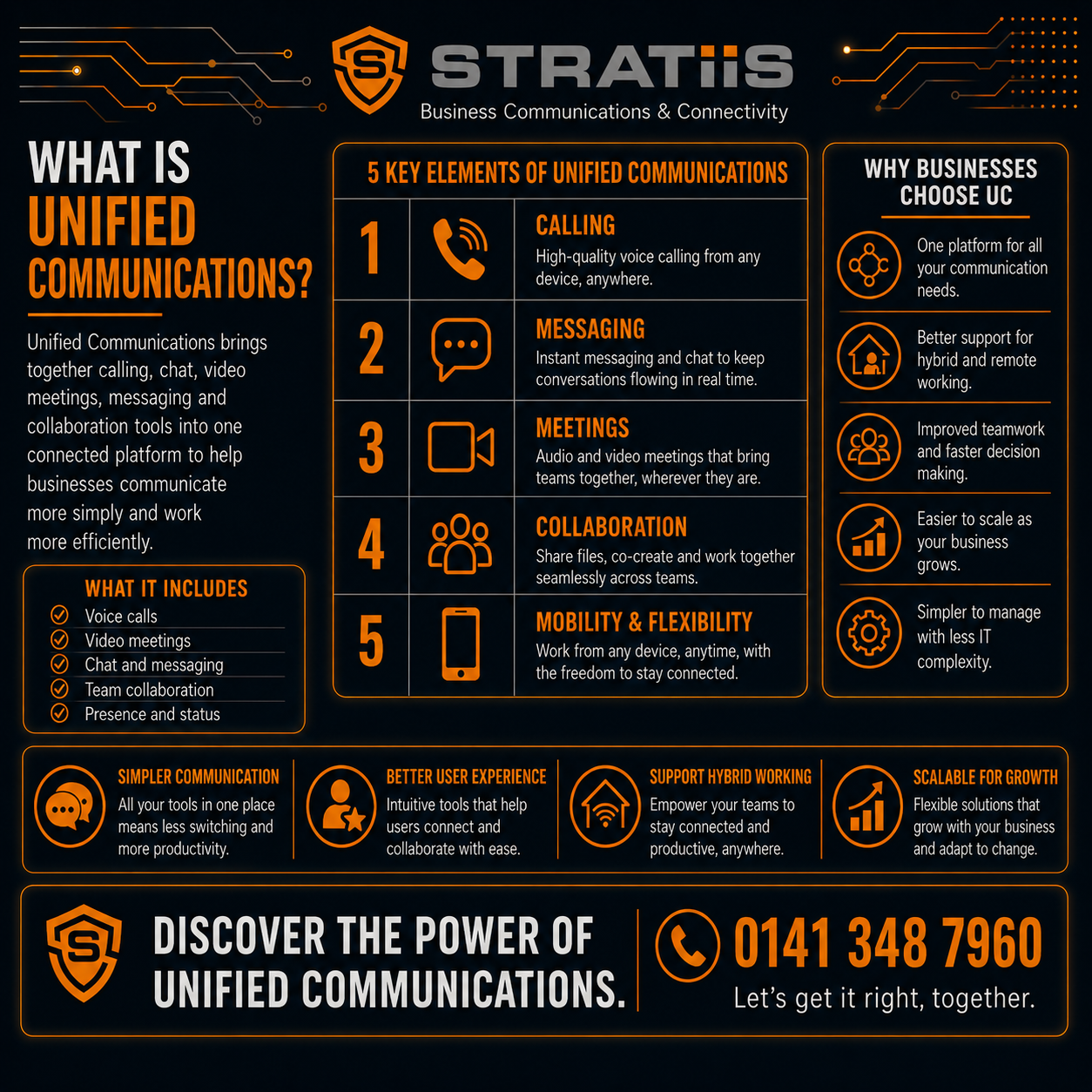
Unified Communications is the integration of different business communication tools into one connected platform or user experience.
This can include:
- Business phone calls
- Video meetings
- Instant messaging
- Team collaboration
- Voicemail
- Presence and availability
- Mobile calling
- Contact directories
- File sharing
- Call queues
- Conferencing
- Customer communications
Instead of treating each communication method as a completely separate service, Unified Communications brings them together.
For example, an employee may be able to:
- See whether a colleague is available
- Send them an instant message
- Turn the chat into a voice call
- Add video
- Share a screen
- Transfer the conversation to a mobile device
- Access voicemail
- Join a scheduled meeting
All of this may happen through one application.
Microsoft Teams is a common example of a Unified Communications platform, particularly when it is combined with Microsoft Teams Phone for external business calling.
Other Unified Communications platforms may provide similar voice, video and messaging features.
What problem does Unified Communications solve?
Most organisations do not set out to create a complicated communications environment.
It develops gradually.
A business may begin with a traditional telephone system.
Later, it adds a video-conferencing platform.
Employees then start using instant messaging. Mobile applications are introduced, and remote working creates a need for cloud calling.
Eventually, employees may have:
- A desk-phone extension
- A mobile number
- A Teams account
- A separate video-meeting application
- A voicemail service
- A group-chat application
- Several contact lists
- Different call histories
The technology may all work individually.
The problem is that it does not always work together.
Unified Communications can reduce this fragmentation by bringing communication channels into a more consistent experience.
What is included in Unified Communications?
There is no single feature list that applies to every Unified Communications service.
Most platforms include a combination of the following.
Business voice calling
Employees can make and receive business calls using:
- Desk phones
- Computers
- Headsets
- Smartphones
- Tablets
Calls may use existing business telephone numbers.
The service may also provide:
- Call transfer
- Call forwarding
- Voicemail
- Hunt groups
- Call queues
- Auto-attendants
- Call recording
- Reporting
Video conferencing
Employees can hold meetings with colleagues, customers and suppliers through video.
Features may include:
- Screen sharing
- Meeting chat
- Recording
- Live captions
- Transcription
- Virtual backgrounds
- Meeting-room systems
- Webinar features
Instant messaging
Employees can send quick messages without creating an email or making a call.
Messaging may support:
- Individual conversations
- Group chats
- Department channels
- File sharing
- Searchable history
- Status updates
Presence
Presence shows whether someone is:
- Available
- Busy
- In a meeting
- On a call
- Away
- Offline
- Not to be disturbed
This can help employees choose the most appropriate way to contact a colleague.
Mobile applications
A mobile application allows employees to use their business communication service away from the office.
They may be able to:
- Make business calls
- Receive customer calls
- Join video meetings
- Send messages
- Access voicemail
- View contacts
- Change availability
The employee can use the business identity without publishing a personal mobile number.
Collaboration
Some Unified Communications platforms include tools for:
- File sharing
- Document collaboration
- Shared workspaces
- Project discussions
- Meeting notes
- Task coordination
This is one reason why Microsoft Teams is often used as more than a video-meeting platform.
How does Unified Communications work?
Most modern Unified Communications services are hosted in the cloud.
Employees connect through:
- Desktop applications
- Web browsers
- Mobile applications
- IP desk phones
- Meeting-room equipment
Voice, video and messaging travel through internet and data networks.
The platform may connect with:
- Microsoft 365
- Customer relationship management systems
- Contact-centre platforms
- Calendars
- Mobile services
- Business applications
The exact design depends on the platform.
For example, a Microsoft-based solution may combine:
- Microsoft Teams
- Teams Phone
- Exchange Online calendars
- Outlook contacts
- SharePoint
- OneDrive
- Microsoft Teams Rooms
A different platform may combine voice, messaging and video through its own applications.
Is Unified Communications the same as Microsoft Teams?
No, but Microsoft Teams can form the centre of a Unified Communications solution.
Teams already provides:
- Chat
- Video meetings
- Collaboration
- File sharing
- Presence
When Teams Phone is added, it can also provide external telephone calling.
This allows employees to make and receive calls using business telephone numbers through the Teams application.
However, Unified Communications is a wider concept.
Other platforms can also combine voice, video, messaging and collaboration.
The right choice depends on:
- Existing Microsoft investment
- Telephone requirements
- Contact-centre needs
- User preferences
- Integrations
- Reporting
- Compliance
- Budget
Is Unified Communications the same as Hosted Voice?
Not exactly.
Hosted Voice is normally focused on cloud-based business telephone service.
It may provide:
- Calls
- Business numbers
- Desk phones
- Mobile applications
- Voicemail
- Call queues
- Auto-attendants
- Reporting
Unified Communications includes voice but normally extends further into:
- Video
- Messaging
- Presence
- Collaboration
- File sharing
- Integrated meetings
Some Hosted Voice platforms include Unified Communications features.
The difference is not always clear because providers use the terms differently.
The most useful approach is to compare the actual features rather than relying only on the product name.
Is Unified Communications the same as a contact centre?
No.
Unified Communications mainly supports communication between employees and their normal business contacts.
A contact centre is designed for structured customer communication at greater scale.
A contact-centre platform may provide:
- Advanced call queues
- Customer-service routing
- Supervisor dashboards
- Call recording
- Quality monitoring
- Analytics
- Web chat
- SMS
- Social messaging
- Workforce management
- CRM integration
Unified Communications may support basic call queues and auto-attendants.
A business with a large customer-service team may still need a dedicated contact-centre solution.
What are the benefits of Unified Communications?
Employees have fewer systems to manage
One application may replace several separate communication tools.
This can reduce:
- Passwords
- Contact lists
- Notifications
- Training
- Support complexity
Communication becomes more flexible
Employees can move between:
- Chat
- Voice
- Video
- Screen sharing
They can choose the most useful channel without starting again in another platform.
Remote and hybrid working becomes easier
Employees can use business communications from:
- Home
- Customer sites
- Another office
- Mobile devices
- Temporary locations
They can remain part of the same phone system and company directory.
Personal mobile numbers can remain private
A business application can allow employees to make and receive work calls without giving customers their personal number.
Employees can see colleague availability
Presence information can reduce unnecessary calls and repeated attempts to reach someone who is already busy.
Customers can reach the right team more easily
Call routing, auto-attendants and queues can help direct enquiries.
The organisation can simplify suppliers
A business may be able to replace several communication contracts with a more joined-up service.
Support can become easier
IT teams may have fewer platforms and integrations to manage.
Communication can follow the employee
An employee may start a conversation on a laptop and continue it from a mobile device.
Multi-site working becomes easier
Employees across several offices can use the same numbers, directories and communication tools.
What are the disadvantages of Unified Communications?
Unified Communications can provide real benefits.
It is not automatically the right answer for every organisation.
It depends on internet connectivity
Cloud calling and video meetings rely on stable internet access.
Poor broadband, Wi-Fi or network equipment can affect:
- Call quality
- Video quality
- Screen sharing
- Application access
Businesses may need backup connectivity and network improvements.
It can become complicated
A platform may include more features than employees need.
Poorly planned deployments can create confusion rather than simplify communication.
Employees need training
People need to understand:
- Which application to use
- How to transfer calls
- How presence works
- How to manage voicemail
- How to choose the correct audio device
- When to use chat, email or calling
Not every user works in the same way
Reception teams, customer-service employees, mobile workers and executives may need different devices and features.
Contact-centre requirements may need another platform
Basic call queues may not be enough for a large customer-service operation.
Licensing can be confusing
Voice, meeting, recording and compliance features may require different licences.
Legacy equipment may not integrate easily
The organisation may still need to support:
- Analogue devices
- Door-entry systems
- Fax
- Alarms
- Older phone numbers
- Specialist applications
Business continuity needs planning
The organisation should understand what happens during:
- Internet failure
- Power failure
- Platform outage
- Device failure
- Office closure
Does Unified Communications replace desk phones?
It can, but it does not have to.
Employees may use:
- A headset and computer
- A mobile application
- A desk phone
- A combination
Desk phones may still be appropriate for:
- Reception
- Shared areas
- Customer-service teams
- Warehouses
- Employees who make frequent calls
- Common-area locations
- Accessibility needs
Other employees may prefer headsets and applications.
A good Unified Communications project matches the device to the role rather than removing every phone automatically.
Can employees use their mobile phones?
Yes.
Most platforms provide mobile applications.
Employees may be able to:
- Make calls using the company number
- Receive business calls
- Join video meetings
- Send messages
- View presence
- Access voicemail
The organisation should also consider:
- Mobile Device Management
- Mobile security
- Personal and business data separation
- Mobile-data costs
- Lost-device procedures
- Employee privacy
Can Unified Communications keep existing business numbers?
In most cases, existing telephone numbers can be transferred to the new service through number porting.
This may include:
- Main office numbers
- Direct-dial numbers
- Department numbers
- Geographic numbers
- Non-geographic numbers
The migration needs to be planned carefully.
Businesses should confirm:
- Number ownership
- Current provider
- Account details
- Complete number ranges
- Linked services
- Porting dates
- Call-routing requirements
The old service should not be cancelled before porting is complete.
Can Unified Communications work across several offices?
Yes.
Multi-site organisations are one of the strongest use cases.
Employees can use the same platform across:
- Head office
- Branch offices
- Home
- Customer sites
- Mobile devices
This may allow:
- Shared reception
- Common extension dialling
- Central directories
- Shared call queues
- Easier office moves
- More flexible working
- Centralised support
Each location still needs suitable internet, Wi-Fi and resilience.
Can Unified Communications integrate with business applications?
Often, yes.
Possible integrations include:
- CRM systems
- Helpdesk platforms
- Microsoft Outlook
- Calendars
- Contact-centre software
- Customer databases
- Call-recording platforms
- Workflow tools
An integration may allow employees to:
- Click a number to call
- View customer details
- Record call activity
- Open the correct customer record
- Route messages
- Create follow-up tasks
The available integrations vary by platform.
They should be assessed based on real business value rather than the number of integrations listed by the provider.
Is Unified Communications secure?
It can be secure when configured and managed correctly.
Security should include:
- Multi-factor authentication
- Strong administrator controls
- Secure device configuration
- Mobile Device Management
- Conditional Access
- Supported software
- Call and meeting policies
- Guest-access controls
- Recording controls
- User training
- Monitoring
- Joiner and leaver processes
A cloud platform does not remove the organisation’s security responsibilities.
Poor passwords, unmanaged devices and excessive administrator access can still create risk.
What internet connection does Unified Communications need?
The answer depends on:
- Number of users
- Simultaneous calls
- Video meetings
- Remote workers
- Office size
- Other cloud applications
- Upload capacity
- Network quality
Voice calls use relatively little bandwidth.
They are sensitive to:
- Packet loss
- Delay
- Jitter
- Wi-Fi problems
- Router performance
Video meetings use more capacity.
A readiness review should consider:
- Business broadband
- Leased lines
- Upload speed
- Firewall capacity
- Network switches
- Wi-Fi
- Internet failover
- Power protection
A fast download speed alone does not guarantee good call quality.
What happens if the internet fails?
Cloud communication services may stop working at the affected office unless continuity measures are available.
Possible options include:
- 4G or 5G failover
- A second fixed connection
- Mobile applications
- Working from another location
- Provider-level call diversion
- An external answering service
- Voicemail
- Another office taking calls
The right approach depends on how important telephone and communication services are to the business.
A contact centre may need much stronger continuity than a small office with light call use.
What happens during a power cut?
Desk phones, routers, firewalls, switches and internet equipment normally require electricity.
Possible resilience options include:
- Uninterruptible Power Supplies
- Generator power
- Mobile applications
- Mobile phones
- Call diversion
- Alternative offices
- Remote working
The organisation should know which services will continue and for how long.
How much does Unified Communications cost?
The cost depends on:
- Number of users
- Platform
- Voice licences
- Calling plans
- Desk phones
- Headsets
- Mobile applications
- Video meeting requirements
- Meeting-room equipment
- Call recording
- Contact-centre features
- Integrations
- Number porting
- Installation
- Training
- Support
- Internet and network improvements
A small organisation using basic cloud calling and Teams may pay a monthly amount per user.
A larger organisation with reception, recording, contact-centre integration and several meeting rooms will pay more.
The most accurate cost comparison should include:
- Existing phone-system costs
- Telephone lines
- Call charges
- Video platforms
- Messaging platforms
- Mobile costs
- Support
- Hardware
- Network upgrades
The cheapest user licence is not always the lowest total cost.
How long does a Unified Communications project take?
The timescale depends on:
- Number of employees
- Number of sites
- Existing phone system
- Number porting
- Internet readiness
- Device requirements
- Call routing
- Integrations
- Training
- Contact-centre requirements
A small, straightforward project may be completed relatively quickly.
A multi-site migration with complex numbers, reception services and integrations may require a phased approach.
The project should not be rushed simply to meet a contract renewal date.
Who is Unified Communications suitable for?
It may be a good fit for organisations that:
- Use Microsoft Teams heavily
- Support hybrid working
- Operate across several sites
- Have separate phone and meeting platforms
- Want employees to use business calling on mobile devices
- Need more flexible call routing
- Want fewer communication suppliers
- Need better collaboration
- Are replacing an old phone system
- Need to prepare for the PSTN switch-off
Who may not need Unified Communications?
A full platform may be unnecessary for:
- A very small business with simple call requirements
- An organisation where most communication happens face to face
- A site with unreliable internet and no upgrade plan
- A business needing only a basic telephone line
- An organisation already using well-integrated tools successfully
- A team unwilling to change working practices
A simpler Hosted Voice service may be enough.
The aim should be to solve a real communication problem, not to buy every available feature.
What should you look for in a Unified Communications provider?
A good provider should understand more than the software.
They should be able to assess:
- Business phone numbers
- Call flows
- Reception
- Call queues
- Internet connectivity
- Wi-Fi
- Firewalls
- Mobile use
- Microsoft licensing
- Video meeting rooms
- Number porting
- Security
- Business continuity
- Training
- Support
They should also explain clearly:
- What is included
- What costs extra
- Which existing services can be removed
- Which devices can be retained
- What happens during an outage
- How support works
- Which limitations remain
Be cautious of providers who recommend replacing everything before understanding how your employees and customers communicate.
Questions to ask before buying Unified Communications
Before choosing a platform, ask:
- What communication problem are we trying to solve?
- Which systems do employees use today?
- Which tools overlap?
- Do we need business calling inside Microsoft Teams?
- Do we need desk phones?
- Do we have a reception team?
- Do we need call queues?
- Do we need a contact centre?
- Can we keep our numbers?
- Is our internet connection ready?
- Do we need backup internet?
- Which mobile devices will be supported?
- Do we need call recording?
- How will recordings be controlled?
- Which business systems need to integrate?
- How will employees be trained?
- What happens when the service fails?
- What is the complete cost?
- Who will provide ongoing support?
Is Unified Communications worth it?
Unified Communications can be worth it when it removes genuine communication problems.
It may help reduce the number of separate platforms employees use, make hybrid working easier and give customers a more consistent way to reach the organisation.
It can also create better visibility and simplify support.
But the value depends on planning.
A poorly designed system can simply replace several old tools with one complicated new one.
Before investing, the organisation should understand:
- How people communicate today
- What causes frustration
- Which features are actually required
- Whether the network is ready
- Which users need different experiences
- How the service will be supported
The right Unified Communications solution should make communication feel simpler.
Employees should not need to think about which system sits behind the conversation.
They should be able to contact the right person, through the right channel, from wherever they are working.
Bring your calls, meetings and messages into one clearer communication experience
Unified Communications is not simply another telephone system.
It is a way of bringing voice, video, messaging, presence and collaboration together.
For the right organisation, this can reduce complexity, support hybrid working and improve communication between employees and customers.
The key is to start with how your people work rather than with a product demonstration.
Stratiis can help you assess your existing phone system, Microsoft environment, mobile services, internet connectivity and customer communication requirements.
We can then help you decide whether Unified Communications is the right next step.
Explore Unified Communications
Call: 0141 348 7960
Email: sales@stratiis.com


