
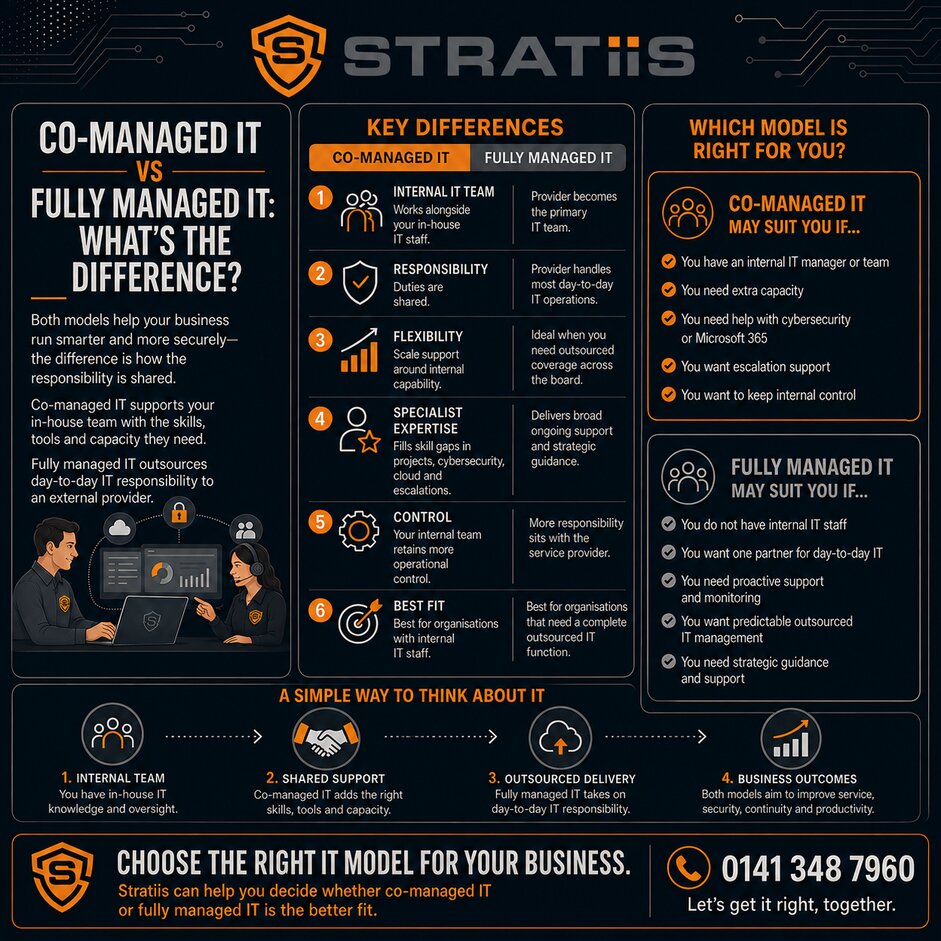
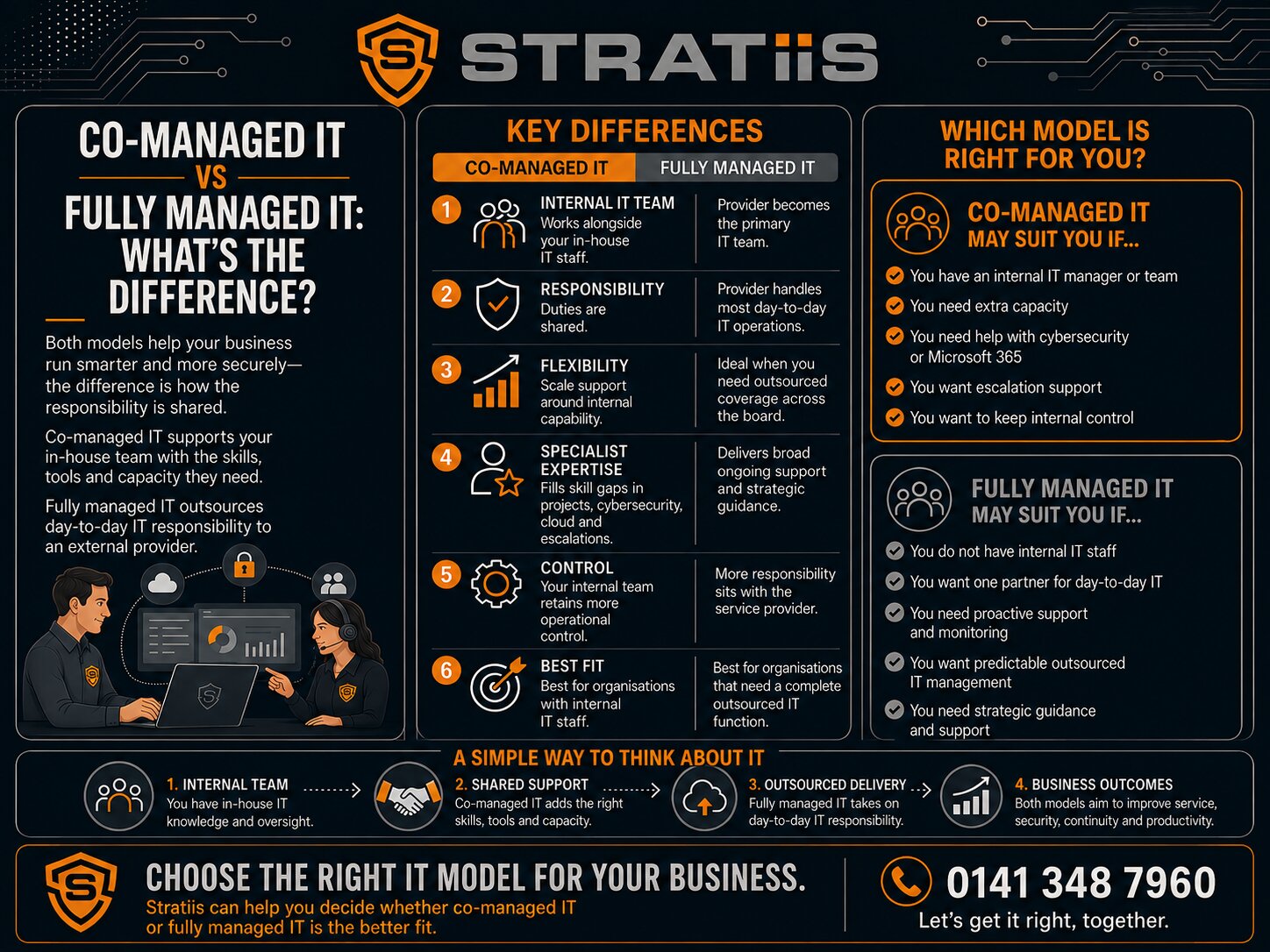
If you're reviewing your IT strategy, you've probably come across two common options: Co-Managed IT and Fully Managed IT.
At first glance, they may seem similar. Both involve partnering with a Managed Service Provider (MSP) to improve IT support, cybersecurity, and technology management. However, the way these services are delivered is very different.
Choosing the wrong model can lead to unnecessary costs, gaps in responsibility, or frustration for both your internal team and your IT provider.
In this guide, we'll explain the differences between Co-Managed IT and Fully Managed IT, the pros and cons of each approach, and how to determine which model is best suited to your organisation.
The Short Answer
Fully Managed IT is designed for organisations that want to outsource most or all of their IT support and management to an external provider.
Co-Managed IT is designed for organisations that already have an internal IT manager or IT team and want additional expertise, resources, or support.
The best option depends on your internal capabilities, business goals, and technology requirements.
What Is Fully Managed IT?
With a fully managed IT service, your MSP becomes your primary IT department.
The provider is typically responsible for:
- Helpdesk support
- Device management
- Cybersecurity
- Microsoft 365 management
- Infrastructure support
- Monitoring and maintenance
- Backup and disaster recovery
- Strategic IT planning
Employees contact the MSP directly for support, and the provider manages the day-to-day operation of your IT environment.
Best Suited For
Fully Managed IT is often ideal for:
- Small and medium-sized businesses
- Charities without internal IT staff
- Growing organisations
- Businesses looking to outsource IT completely
What Is Co-Managed IT?
Co-Managed IT is a partnership between your internal IT team and an MSP.
Rather than replacing your IT department, the MSP works alongside it.
Your internal team retains ownership of IT strategy and operations while the MSP provides support in specific areas such as:
- Cybersecurity
- Microsoft 365
- Cloud services
- Technical escalations
- Project delivery
- Infrastructure management
- Helpdesk overflow
The level of support can be tailored to your organisation's needs.
Best Suited For
Co-Managed IT is typically used by:
- Organisations with an IT manager
- Businesses with internal IT teams
- Housing associations
- Manufacturing companies
- Law firms
- Mid-sized charities and nonprofits
The Key Differences
Internal IT Team
Fully Managed IT
- No internal IT team required
- MSP manages most IT functions
Co-Managed IT
- Existing IT team remains in place
- MSP supplements internal resources
Responsibility
Fully Managed IT
- MSP takes primary responsibility for IT
Co-Managed IT
- Responsibilities are shared between the MSP and internal team
Expertise
Fully Managed IT
- Access to MSP expertise
Co-Managed IT
- Access to both internal knowledge and MSP expertise
Flexibility
Fully Managed IT
- Standard service model
Co-Managed IT
- Highly flexible and tailored
Pros and Cons of Fully Managed IT
Advantages
Lower Internal Resource Requirements
No need to recruit or manage an internal IT team.
Predictable Costs
Most services are delivered through a fixed monthly agreement.
Access to Multiple Specialists
Rather than relying on one employee, you gain access to specialists across multiple disciplines.
Improved Cybersecurity
Most managed service agreements include cybersecurity tools and expertise.
Potential Drawbacks
Less Internal Knowledge
External providers may not understand your organisation as deeply as internal staff.
Less Direct Control
Some organisations prefer to keep strategic IT decisions in-house.
Dependence on a Third Party
The relationship with the MSP becomes critical to operational success.
Pros and Cons of Co-Managed IT
Advantages
Retain Internal Knowledge
Your IT team understands your systems, users, and business priorities.
Access Specialist Expertise
The MSP fills skill gaps and provides additional resources when needed.
Greater Flexibility
You choose which services remain internal and which are outsourced.
Support for Strategic Projects
Internal teams can focus on business priorities while the MSP provides additional capacity.
Potential Drawbacks
Shared Responsibility
Success depends on clearly defined roles and responsibilities.
Communication Requirements
Internal teams and MSPs must collaborate effectively.
Not Always Necessary
If you have little or no internal IT capability, a fully managed service may be simpler.
Cost Comparison
One of the biggest factors in choosing between these models is cost.
Fully Managed IT
Typically charged per user, per month.
A typical organisation might spend:
- £75–£150 per user per month
- £100–£200+ per user per month with advanced cybersecurity services
Co-Managed IT
Costs vary depending on:
- Scope of support
- Internal capabilities
- Number of users
- Specialist services required
Many organisations find co-managed IT more cost-effective than hiring additional specialist employees.
Example
Hiring an experienced cybersecurity professional may cost:
- £50,000–£80,000+ annually
A co-managed IT partnership often provides access to multiple specialists for less than the cost of a single hire.
Real-World Examples
Example 1: Charity with No Internal IT
A 25-user charity relies entirely on an MSP for:
- User support
- Microsoft 365
- Cybersecurity
- Backup management
Best Fit: Fully Managed IT
Example 2: Housing Association with an IT Manager
An internal IT manager oversees strategy while an MSP provides:
- Cybersecurity monitoring
- Microsoft 365 expertise
- Technical escalations
- Cyber Essentials support
Best Fit: Co-Managed IT
Example 3: Manufacturing Company with a Small IT Team
The internal team supports production systems while an MSP assists with:
- Infrastructure management
- Cloud projects
- Cybersecurity
- Monitoring
Best Fit: Co-Managed IT
Which Model Is Right for Your Organisation?
Ask yourself the following questions.
Do We Have Internal IT Staff?
If no:
Fully Managed IT is usually the better choice.
If yes:
Co-Managed IT may provide greater flexibility.
Is Our IT Team Overloaded?
If projects are being delayed or support requests are overwhelming your team, co-managed IT can help.
Do We Need Specialist Skills?
Cybersecurity, Microsoft 365, compliance, and cloud services often require expertise that internal teams may not have.
Do We Want to Retain Control?
If maintaining internal ownership of IT strategy is important, co-managed IT is often the preferred model.
Are We Looking to Replace or Support Internal IT?
The answer to this question often determines the right approach.
Common Signs You Need Co-Managed IT
You may benefit from co-managed IT if:
- Your IT manager is overloaded
- Cybersecurity requirements are increasing
- Projects are falling behind
- You need specialist expertise
- Recruitment is difficult
- You want to avoid hiring additional IT staff
Common Signs You Need Fully Managed IT
You may benefit from fully managed IT if:
- You have no internal IT team
- You want a single point of accountability
- You need comprehensive support
- Technology is not a core internal function
- You prefer predictable outsourced services
Final Thoughts
There is no universal answer to the question of Co-Managed IT versus Fully Managed IT.
Both models can deliver excellent results when aligned with the needs of the organisation.
For businesses with little or no internal IT capability, Fully Managed IT often provides the simplest and most cost-effective solution.
For organisations that already have an IT manager or internal team, Co-Managed IT offers a flexible way to access additional expertise, improve cybersecurity, increase capacity, and support strategic projects without replacing existing resources.
The best approach is the one that gives your organisation the right balance of expertise, control, security, and scalability to support future growth.


