
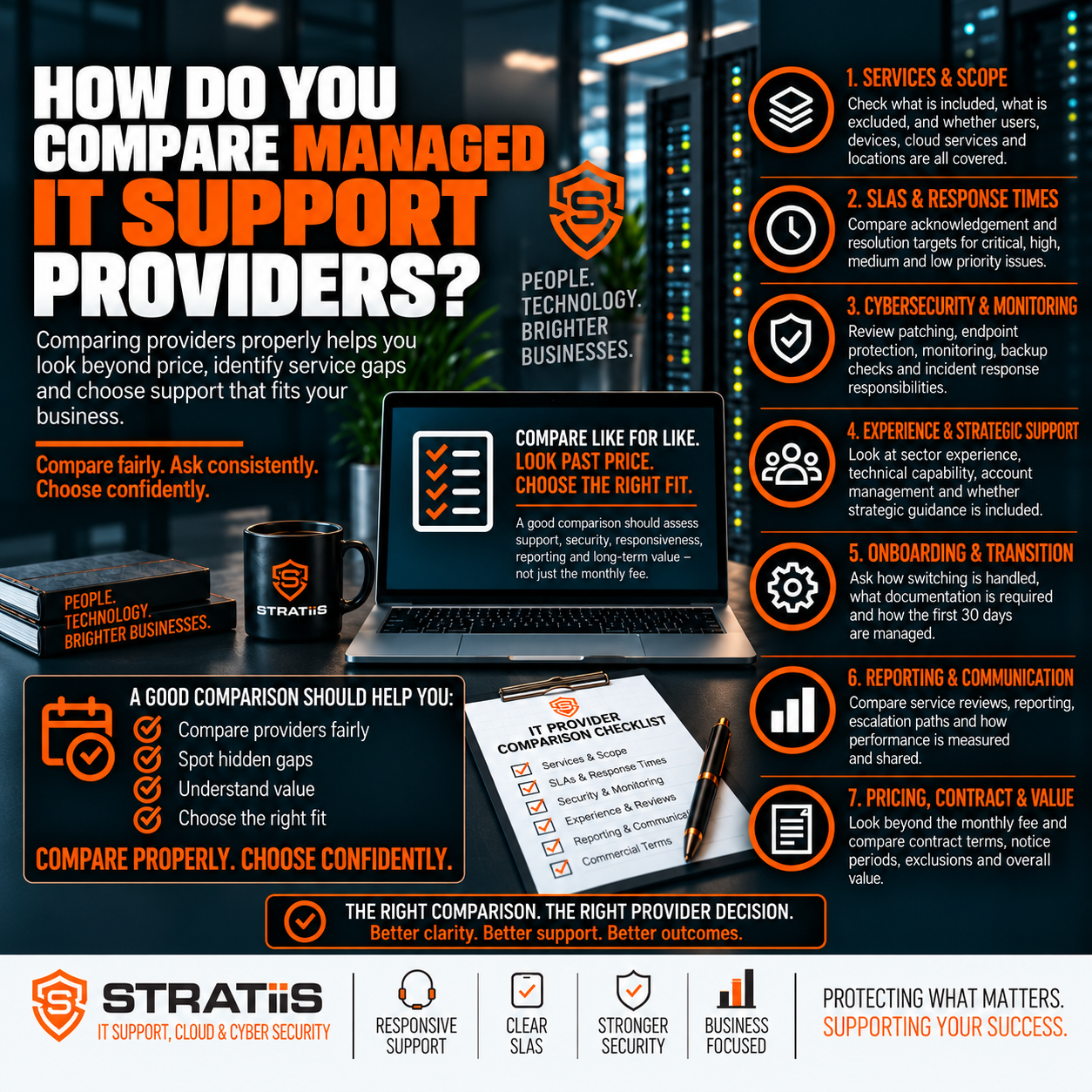
Compare managed IT support providers by putting their proposed services against the same business requirements. Look beyond the monthly price: check the exact scope, support experience, security responsibilities, recovery capability, onboarding, reporting and contract terms.
Two managed service providers (MSPs) may both advertise helpdesk support, Microsoft 365, cybersecurity and backup while delivering very different levels of coverage. One may actively investigate alerts and test restores; another may only supply the tools. A useful comparison asks who does the work, when they do it, what is excluded and how results are reported.
The short answer
Define your needs first, request a written service scope and service level agreement from each provider, then score every proposal against the same criteria. Give the greatest weight to support quality, cybersecurity, Microsoft 365, backup and recovery, escalation and the provider’s ability to manage your environment over time.
In this guide
Chapter 1
Define Your Business Requirements
Start with your organisation rather than a provider’s brochure. Record the number of users, devices and sites; your working hours; remote-working arrangements; internal IT capacity; critical applications; Microsoft 365 setup; compliance needs; and any planned growth or projects. Identify which systems must be restored first after an outage.
This gives each MSP the same brief and makes a proposal easier to judge. A business with several Scottish sites and evening operations needs a different support arrangement from a single-office team working standard hours. If you have an internal IT team, ask where a co-managed IT service would add capacity or specialist skills.
Chapter 2
Compare the Actual Service Scope
Look at the complete operating service. Routine helpdesk work, remote and on-site support, device management, patching, network administration, Microsoft 365, endpoint and email security, backups, supplier coordination, reporting and strategic reviews may be bundled or priced separately.
| Area | What to ask each provider | Why it matters |
|---|---|---|
| Users and devices | Which people, laptops, desktops, servers and mobiles are covered? Are joiners, role changes and leavers included? | Prevents gaps in day-to-day support and access control. |
| Platforms and networks | Who administers Microsoft 365, cloud services, firewalls, Wi-Fi and site connectivity? | Makes technical ownership clear when services interact. |
| Protection and recovery | Which security, backup and recovery services are supplied, monitored and tested? | Separates an installed tool from an actively managed outcome. |
| Planning and suppliers | Are asset records, vendor coordination, service reviews and technology roadmaps included? | Shows whether the provider will help prevent recurring issues and plan investment. |
A higher proposal can offer better value if it includes services that another MSP charges for separately. Compare the written inclusions and exclusions with our guides to fully managed IT support and managed IT support agreements.
Chapter 3
Test Support Quality, Response and Escalation
Support hours must match when your business operates. Confirm normal hours, public holidays, evening and weekend options, critical incident cover and whether out-of-hours work costs extra. For multi-site organisations, clarify on-site availability, attendance areas, travel and call-out charges.
01
What does “response” mean?
An automated acknowledgement, ticket assignment and an engineer beginning work are different milestones. Ask for the definition and priority rules in the service level agreement (SLA).
02
Can the first team resolve issues?
Ask how common Microsoft 365, password, printer, software and device issues are handled, and whether first contact resolution is measured.
03
How do difficult cases move?
Request the route to senior engineers and Microsoft, networking or security specialists. Ask how long a complex or critical incident can remain at first-line support.
Review example incident communications and reports, not just target times. Our article on IT support response times explains why a fast acknowledgement does not guarantee a fast resolution.
Chapter 4
Examine Cybersecurity and Microsoft 365
Managed IT and managed cybersecurity can overlap, but the boundaries vary. Ask whether antivirus or endpoint detection and response (EDR), advanced email security, multi-factor authentication (MFA), Conditional Access, vulnerability management, security awareness and security reporting are included. More importantly, find out who receives alerts, investigates suspicious activity and responds to an incident.
Microsoft 365 administration should be equally clear. Compare user and licence changes, Exchange Online, Teams, SharePoint, OneDrive, Intune, security configuration and access policies. Distinguish routine administration from major migrations or redesign projects. A joiner, mover and leaver process should cover account creation, permissions, device setup, session revocation and data handover.
For a broader baseline, see what cybersecurity protections a 50-person business needs and explore Stratiis cybersecurity services.
Chapter 5
Check Monitoring, Backup and Recovery
A proactive provider should identify important faults before users have to report every one. Ask which device, server, storage, network, connectivity, security and backup alerts are monitored; who responds; and how failed patches or recurring problems are followed through.
| Capability | Evidence to request |
|---|---|
| Patch management | Coverage for Windows, servers, third-party applications, firewalls and network equipment; critical patch timing and exceptions. |
| Backup | Protected systems, Microsoft 365 coverage, schedule, retention, storage location, failure monitoring and restore tests. |
| Disaster recovery | Documented recovery priorities, responsibilities, recovery time and data-loss objectives where needed, and evidence of testing. |
| Asset management | An inventory with device owner, location, age, warranty, operating system and planned replacement date. |
“Backup monitoring” may mean watching a product you already own rather than supplying the backup service. A successful backup also says little about how quickly critical systems can be restored. Ask each MSP to show how a real restore would work.
Chapter 6
Assess Planning, Reporting and Coordination
Ask for a sample management report. Useful reporting explains ticket trends, SLA performance, device health, patch compliance, backup status, security findings, vulnerabilities and the actions recommended. Service reviews should cover recurring faults, business changes, projects, risk, budgets and hardware replacement, not only ticket counts.
Check whether the MSP maintains network diagrams, supplier details, licences, administrative information and system configurations. Documentation reduces reliance on one engineer and makes a future handover easier. Ask how it coordinates internet, telecoms, software, printer and specialist application vendors when an issue crosses supplier boundaries.
The right strategic capability depends on your plans. An MSP may help with technology roadmaps, cloud and Microsoft 365 decisions, cybersecurity priorities, business continuity, AI, automation and growth. Ask who attends reviews and whether this advice is included or delivered through a separate vCIO service. Sector experience is useful when a provider can explain the operational risks specific to your organisation, and customer references can test whether it delivers on its promises.
Chapter 7
Review Onboarding, Price and Exit Terms
A credible onboarding plan should cover technical discovery, device inventory, Microsoft 365 and network access, backup and security review, documentation, tool deployment and removal of the previous provider’s access. Ask who leads the transition, how credentials are transferred and how issues uncovered during discovery are prioritised. See our guide to switching IT providers without disruption.
Compare the total cost for the same level of coverage: managed support, Microsoft 365 licences, cybersecurity tools, email security, backup, on-site visits, out-of-hours work, projects and strategic reviews. Then inspect contract length, notice, renewal, price increases, termination charges and any exit assistance. Our managed IT cost guide for Scottish businesses sets out the main price drivers.
Use a Practical MSP Comparison Scorecard
Score each provider from 1 to 5 against the same evidence. Weight the most business-critical areas before reviewing prices so a low monthly figure cannot conceal a gap in security or recovery.
| Criteria | Suggested weight | Evidence to compare |
|---|---|---|
| Support and escalation | High | Hours, defined response, first contact resolution, specialist access and on-site terms. |
| Cybersecurity and Microsoft 365 | High | Included controls, alert ownership, identity management and administration scope. |
| Backup and recovery | High | Protected systems, retention, restore testing and recovery plan. |
| Proactive management | High | Monitoring, patching, asset records and recurring-issue prevention. |
| Onboarding and reporting | Medium | Transition plan, sample reports, review agenda and customer references. |
| Strategy, contract and cost | Medium | Roadmap support, full price, exclusions, renewal terms and exit process. |
Adjust the weights to your business. A 24-hour operation may put out-of-hours response first; a highly regulated organisation may give more weight to access control and evidence of recovery. The scorecard supports judgement rather than replacing it.
Common Questions When Comparing MSPs
Should we choose the largest MSP?
Size alone is a weak proxy for service. A larger firm may have broader specialist coverage; a smaller one may offer more direct senior contact. Check capacity, continuity, documented processes and references.
Should we choose the cheapest MSP?
Choose the best fit and total value. A lower fee can cost more if backup, security, on-site support or essential licences are extra, or if recurring issues consume staff time.
What are the clearest warning signs?
Vague inclusions, hidden exclusions, unclear escalation, no structured onboarding, weak security detail, poor reporting or restrictive exit terms all deserve further questions.
For a fuller set of buying questions, read what to ask before choosing a managed IT provider. If you are reviewing an incumbent MSP, see the seven warning signs you have outgrown your IT provider and questions for an MSP review meeting.
Comparing Managed IT Providers in Scotland?
Stratiis can help you review your current environment, clarify the service you need and understand the security and support responsibilities in a proposal.


