
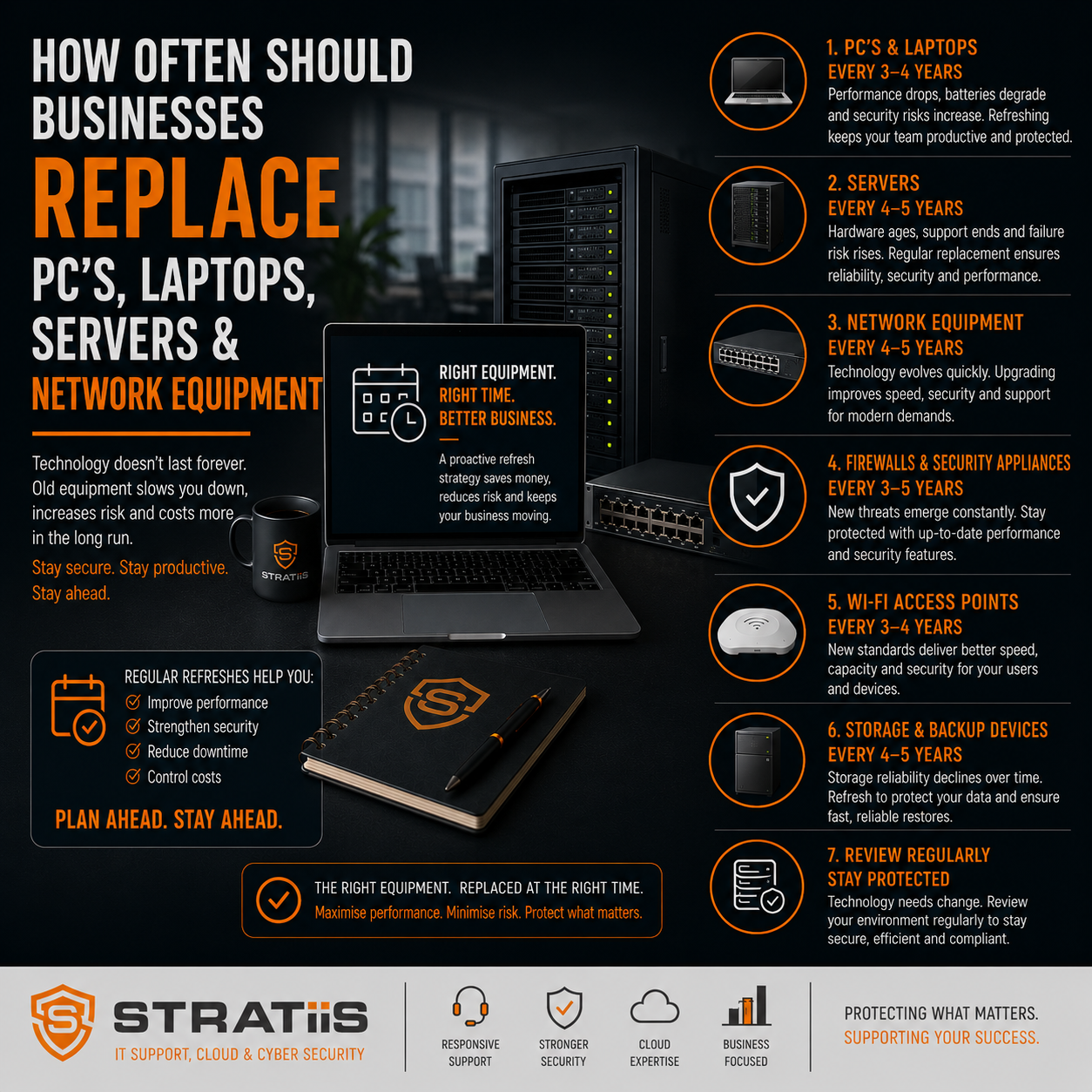
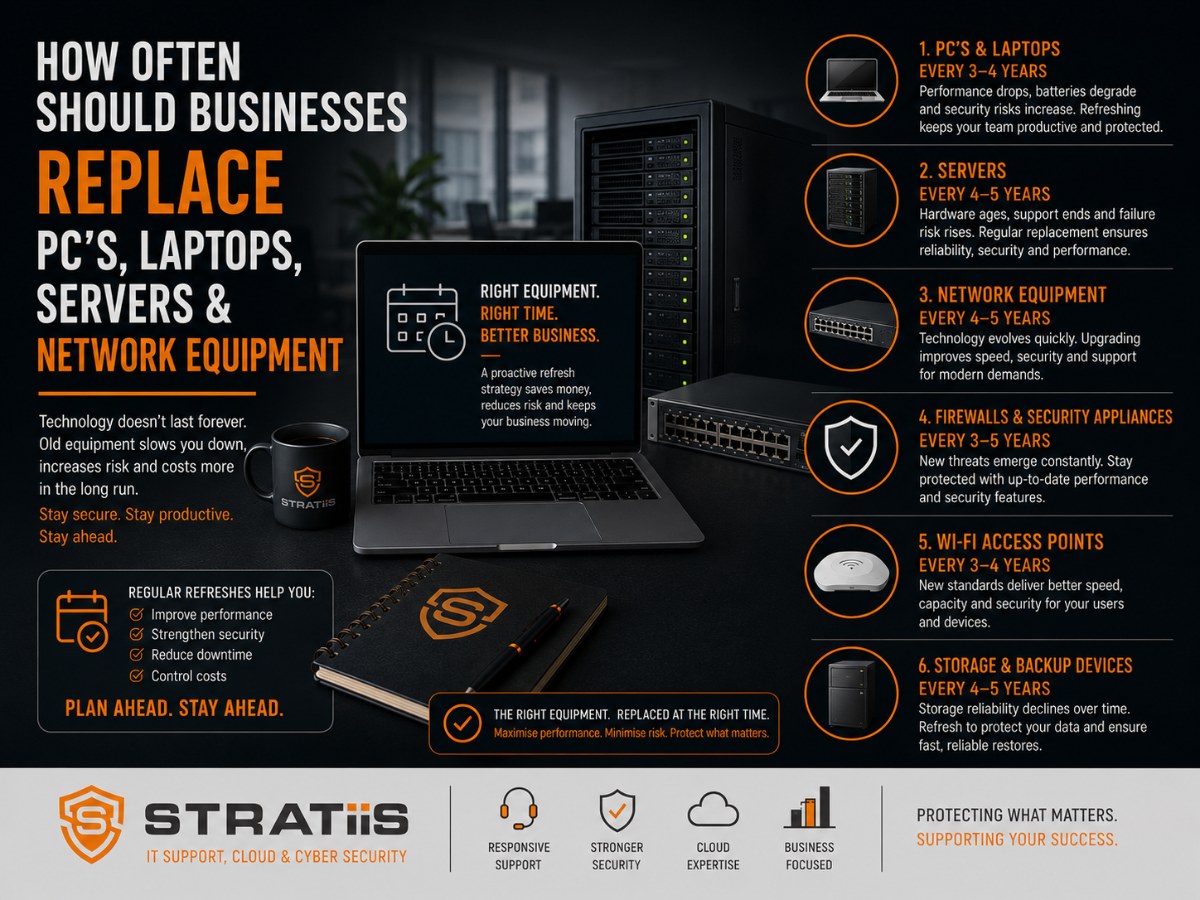
One of the most common questions business leaders ask is:
"How often should we replace our IT equipment?"
Unfortunately, many organisations wait until hardware fails before considering replacement. While this may seem like a way to save money, it often leads to higher costs, increased downtime, cybersecurity risks, and frustrated employees.
For most businesses with 10–100 employees, a proactive replacement strategy delivers better value than a reactive "replace when it breaks" approach.
As a general guideline:
| Equipment | Recommended Replacement Cycle |
|---|---|
| Business PCs & Laptops | Every 4–5 years |
| Servers | Every 5–7 years |
| Firewalls | Every 5 years |
| Network Switches | Every 5–7 years |
| Wireless Access Points | Every 4–6 years |
| Mobile Devices | Every 3–4 years |
However, the right lifecycle depends on business requirements, cybersecurity needs, software demands, and growth plans.
In this guide, we'll explain when equipment should be replaced, warning signs to watch for, and how businesses can budget effectively for future upgrades.
Why Technology Lifecycle Planning Matters
Technology is a business asset.
Like company vehicles, machinery, or office equipment, IT hardware has a useful lifespan.
As devices age, organisations often experience:
- Slower performance
- Increased support costs
- Greater cybersecurity risks
- Reduced reliability
- Higher downtime
- Compatibility issues
The goal is not replacing equipment unnecessarily.
The goal is replacing equipment before it becomes a business risk.
How Often Should PCs and Laptops Be Replaced?
For most organisations, business computers should be replaced every 4–5 years.
Why 4–5 Years?
Modern business applications place increasing demands on hardware.
Examples include:
- Microsoft 365
- Microsoft Teams
- SharePoint
- Cloud applications
- Security software
- AI-powered productivity tools
Older devices often struggle to keep up.
Signs It's Time to Replace a PC
- Slow startup times
- Frequent crashes
- Hardware failures
- Battery issues
- Unsupported operating systems
- Inability to run modern software efficiently
Security Considerations
Older devices may:
- Lack modern security features
- Be unable to support current operating systems
- Receive limited vendor support
Security should always be a factor when determining replacement timing.
How Often Should Servers Be Replaced?
Most business servers should be replaced every 5–7 years.
Why 5–7 Years?
After this period:
- Vendor support often expires
- Hardware reliability declines
- Performance limitations become more noticeable
- Security risks increase
Warning Signs a Server Needs Replacing
- Frequent hardware alerts
- Storage limitations
- Increased downtime
- Outdated operating systems
- Expiring support agreements
Cloud Considerations
Many organisations are reducing reliance on physical servers through:
- Microsoft 365
- SharePoint Online
- Azure services
- Cloud backup solutions
A Strategic vCIO review can help determine whether replacement or cloud migration is the better investment.
How Often Should Firewalls Be Replaced?
A firewall is one of the most important cybersecurity devices in any organisation.
Most firewalls should be reviewed for replacement every 5 years.
Why?
Cybersecurity threats evolve rapidly.
Newer firewalls provide:
- Improved threat detection
- Better performance
- Enhanced visibility
- Modern security capabilities
Signs It's Time to Upgrade
- Vendor support is ending
- Performance issues occur
- New security features are unavailable
- Business requirements have changed
Replacing an outdated firewall often provides significant security improvements.
How Often Should Network Switches Be Replaced?
Network switches typically have a lifespan of 5–7 years.
Factors Affecting Lifespan
- Network growth
- Performance requirements
- Power-over-Ethernet demands
- Security requirements
Warning Signs
- Network performance issues
- Hardware failures
- Limited capacity
- Unsupported firmware
Switches are often overlooked until problems arise.
A proactive replacement strategy helps avoid unexpected disruption.
How Often Should Wireless Access Points Be Replaced?
Wireless technology evolves quickly.
Most access points should be replaced every 4–6 years.
Benefits of Upgrading
- Faster performance
- Improved coverage
- Better security
- Greater device capacity
This is particularly important for organisations supporting:
- Hybrid workers
- Mobile devices
- Guest networks
- High-density environments
How Often Should Mobile Devices Be Replaced?
Business smartphones and tablets typically have a lifecycle of 3–4 years.
Why Shorter Lifecycles?
Mobile devices experience:
- Faster battery degradation
- Greater physical wear
- More frequent operating system changes
Security Risks
Unsupported mobile devices create unnecessary cybersecurity exposure.
Organisations should ensure devices remain supported by manufacturers.
The Hidden Costs of Delaying Hardware Replacement
Many businesses postpone upgrades to save money.
However, older equipment often creates hidden costs.
Increased Downtime
Failures become more frequent as hardware ages.
Higher Support Costs
Older systems generally require more maintenance.
Reduced Productivity
Slow devices affect employee efficiency.
Increased Cybersecurity Risk
Unsupported hardware can create vulnerabilities.
Unexpected Emergency Spending
Reactive replacements often cost more than planned upgrades.
Lifecycle planning helps avoid these issues.
A Simple Technology Lifecycle Framework
The most effective organisations manage technology proactively.
Year 1–3
Monitor performance and maintain warranties.
Year 4–5
Review PCs, laptops, and wireless infrastructure.
Year 5–7
Review servers, firewalls, and network infrastructure.
Annual Review
Conduct strategic technology assessments.
This approach spreads investment over time and avoids large, unexpected expenses.
Stratiis Client - A 20 Person Scottish Manufacturing Business
Their Current Environment
- PCs averaging 6 years old
- Server approaching end of support
- Outdated firewall
- Growing Microsoft 365 usage
The Challenges They Faced
- Increasing support tickets
- Performance complaints
- Security concerns
- Rising maintenance costs
Stratiis Approach
- Replace PCs over a 12-month period
- Upgrade firewall
- Review cloud migration opportunities
- Create a 3-year technology roadmap
Business Benefits
- Improved productivity
- Better cybersecurity
- Reduced support costs
- More predictable budgeting
The key is planning upgrades before problems occur.
How to Budget for Future Technology Replacements
The most successful organisations avoid large one-off technology purchases.
Instead, they create a technology lifecycle plan.
This should include:
Hardware Inventory
What equipment do we own?
Age Tracking
How old is each asset?
Replacement Forecasting
When will replacement be required?
Budget Planning
What investment will be needed over the next 3–5 years?
This transforms technology spending from a surprise expense into a planned investment.
Why Businesses Across Scotland Choose Stratiis
At Stratiis, we help organisations throughout Glasgow, Edinburgh, Lanarkshire, Ayrshire, Lothian, Dumfries & Galloway, and Perthshire plan technology lifecycles strategically.
Our services include:
- Technology audits
- Hardware lifecycle reviews
- Strategic vCIO planning
- Microsoft 365 optimisation
- Cybersecurity assessments
- Infrastructure roadmaps
- Budget forecasting
We help businesses make informed technology decisions that support growth, productivity, and security.
Final Thoughts
Most businesses should replace:
- PCs and laptops every 4–5 years
- Servers every 5–7 years
- Firewalls every 5 years
- Network equipment every 5–7 years
- Wireless infrastructure every 4–6 years
The goal is not replacing equipment as frequently as possible.
The goal is replacing equipment at the right time.
A proactive lifecycle strategy helps reduce downtime, improve cybersecurity, increase productivity, and create more predictable IT budgets.
The organisations that gain the most value from technology are rarely those that spend the most.
They're the organisations that plan ahead.
Related Articles
What Does a Strategic vCIO Do for a Growing Business and Is It Worth It?
How Much Should Managed IT Support Cost for a 10-100 Employee Business in Scotland?
How Much Cybersecurity Protection Does a 50-Person Business Actually Need?
Microsoft 365 Business Premium vs E5: Which Is Best for Scottish Businesses?


