
When work stops because IT has failed, the first question is usually: how soon will someone help? A good support agreement answers that question clearly, but a quick acknowledgement is only the beginning. The provider also needs to take ownership, investigate the fault and keep people informed until service is restored.
Response times should reflect the effect on your business. A company-wide outage or suspected cyber incident cannot wait behind a routine access request. Understanding how an IT provider sets priorities, measures its targets and communicates progress will help you compare services more fairly.
The short answer
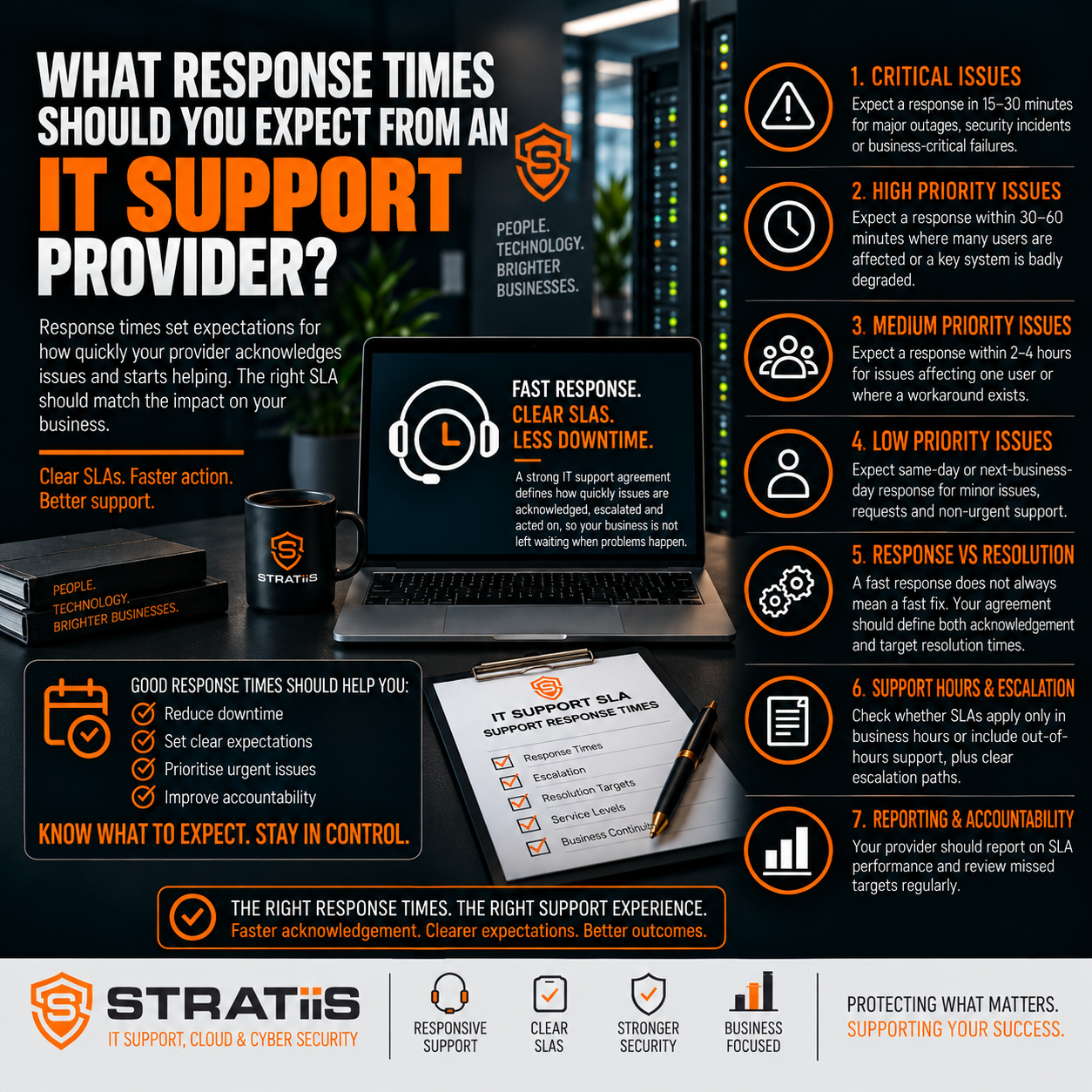
Expect a defined response target for each level of urgency, a clear way to report critical issues and regular updates when an incident is ongoing. Illustrative managed IT targets range from around 15–30 minutes for a critical incident to the same or next working day for a routine request. Your actual targets, support hours and escalation route should be written into your service level agreement (SLA).
In this guide
Chapter 1
What Does an IT Support Response Time Actually Mean?
A response time is the period between an issue being reported and the provider beginning to deal with it under the terms of the SLA. The starting point may be the moment a ticket is logged, a call is received or an alert is generated. The agreement should say which one applies. It should also explain whether the clock runs only during normal support hours.
Ask what counts as a response. An automated email confirming a ticket number proves the request arrived, but it does not necessarily mean an engineer has reviewed the impact or started investigating. For an urgent fault, you should know when a person will assess it, who takes ownership and how the incident is escalated.
Resolution time measures something different: how long it takes to restore the service or complete the request. A provider may respond in 20 minutes and still need several hours to repair a failed server or work with an internet carrier. A temporary workaround can return staff to work sooner, even while a permanent fix is being developed. An honest agreement distinguishes acknowledgement, active response, workaround and final resolution.
Chapter 2
How Should an SLA Set Priorities and Targets?
An SLA sets out the service the provider commits to deliver. For response times, it should define each priority, the target for that priority, the hours during which it applies and the route for reporting an emergency. It should also explain who can change a ticket’s priority when its business impact becomes clearer.
Priority should follow impact and urgency, not simply the order in which tickets arrive. A fault stopping the whole organisation from working is different from a single user who has a workaround. A security incident may deserve immediate attention even if users can still sign in. A routine request can be scheduled without delaying work on a serious outage.
| Priority | Typical business impact | Illustrative response target |
|---|---|---|
| P1 — Critical | Business-wide outage or serious security incident | 15–30 minutes |
| P2 — High | Major service or department significantly disrupted | 30–60 minutes |
| P3 — Medium | Individual or limited group affected | 2–4 working hours |
| P4 — Low | Minor fault or routine request | Same or next working day |
These are examples for comparing providers, not a promise that every MSP offers the same targets. The agreed response may also vary by service, contract and support window. Read the definitions beside the numbers: a 15-minute target has little value if the provider classifies an office-wide outage as “medium” or starts the clock only after someone manually opens a ticket.
What makes an issue critical, high or routine?
A critical incident typically stops a substantial part of the business from operating. Examples include a company-wide network or Microsoft 365 outage, a key server failure, or a suspected ransomware attack. These issues need an urgent route to the support team and an immediate decision about escalation.
A high-priority issue may affect a department or an essential system while the rest of the organisation continues working. A single user unable to do their job may also need a prompt response, especially when there is no workaround. A normal-priority ticket might involve an intermittent fault or one device, while a low-priority request could be a planned account change or minor configuration task. The definitions should account for your own operating hours, critical applications and customers.
There is rarely a credible guaranteed fix time for every incident. Hardware availability, third-party services, the cause of a cyber event and the complexity of a repair can all affect resolution. A useful SLA promises a timely response, clear ownership, sensible escalation and updates while the team works towards restoration.
Chapter 3
What Happens During Security Incidents, Internet Outages and After Hours?
A suspected cyber incident needs a different response from a routine helpdesk request. If an account may be compromised or malware is spreading, the first action may be to contain the threat, protect access and preserve evidence. Ask who monitors security alerts, who investigates them, how your business is contacted and whether the incident response service is included in the agreement.
An internet outage can quickly stop cloud applications, calls and payments. Your MSP may be able to check local equipment, identify whether the fault sits with the circuit and raise a case with the carrier. The provider should still own communication and escalation where that is part of the service, even if the carrier controls the repair. Where connectivity is essential, discuss backup connections and continuity plans before an outage occurs.
Support outside normal working hours is another contractual question. Some services include 24/7 monitoring but provide a live helpdesk only during business hours. Others offer an emergency line for critical incidents, with routine tickets waiting until the next working day. Check which events qualify, who can call, whether additional charges apply and how weekend or public-holiday response targets are measured.
Chapter 4
What Does Responsive Support Feel Like in Practice?
People should be able to reach the helpdesk through the channels that suit the problem. A portal or email may be fine for routine work. A critical outage needs a clear phone or emergency route so it is recognised immediately. The goal is a swift, useful conversation with someone who can assess the situation, not simply a fast automated acknowledgement.
First-contact resolution matters as well. If a straightforward access or device issue can be resolved during the first conversation, staff return to work sooner and the ticket does not bounce between teams. More complex incidents may need specialist engineers, but the handover should be visible and one person or team should remain accountable for progress.
During a major incident, updates are part of the service. An initial message should explain what is affected, what the team is doing and when the next update will arrive. Further updates should say what has changed, whether a workaround exists and whether another supplier is involved. Even when there is no new fix, a planned update reassures employees and managers that the problem has not disappeared into a queue.
Chapter 5
How Should You Measure Response-Time Performance?
Your provider should be able to report how many tickets met each SLA target, broken down by priority. A single overall average can hide late responses to critical cases behind a large volume of quickly answered routine tickets. Ask to see the number of breaches, how far each target was missed and whether particular services or times of day show a pattern.
Response speed is only one measure of quality. Also look at time to restore service, first-contact resolution, tickets reopened after closure, the age of unresolved work and the quality of incident updates. For a recurring fault, the most valuable result may be an investigation and lasting correction rather than another rapid ticket closure.
Be cautious with claims of extremely fast response. Find out whether the figure describes a human engineer, an automated notification or an average across all tickets. A provider that promises to acknowledge everything in five minutes may still take much longer to start meaningful work. The definitions and the evidence behind the claim matter more than the headline number.
Chapter 6
What If Your IT Provider Regularly Misses Its SLA?
An occasional miss should be explained, especially if several major incidents happen at once. Repeated missed targets, weak communication or unresolved high-impact faults call for a service review. Ask the provider to show the affected tickets, identify the cause and agree a corrective action with an owner and date. That may mean changing staffing, escalation, monitoring or the way tickets are prioritised.
Review meetings should cover trends, not just the latest complaint. Compare response and resolution performance with user feedback, recurring problems and the business consequences of downtime. If the provider reports that targets are met while your staff still experience long delays, inspect the ticket classifications and the way the SLA clock is measured. Our guide to questions for an MSP review meeting can help structure that discussion.
Good managed IT also reduces the number of urgent tickets. Monitoring, patching, backup checks, security controls and planned replacement of ageing equipment can prevent avoidable disruptions. Fast help when something breaks remains essential, but the broader aim is fewer interruptions to the business.
What Should You Ask an IT Provider About Response Times?
Start with the wording of the SLA. When does the response clock begin, what counts as a response and which hours are covered? How are critical, high, medium and low priorities defined for your systems? Who can declare an emergency, and what happens if the first engineer cannot resolve it?
Then ask how the service works in practice. Which route should staff use for a major incident, how often will updates arrive and who coordinates a third-party supplier? What reporting will you receive, and what happens when a target is missed? These answers will tell you more than a single advertised response-time figure.
For a small business, the right target depends on how costly an outage would be, the hours you operate and the systems you rely on. A clear, achievable commitment that protects your most important work is more useful than a very fast number with narrow conditions. Put the agreed definitions, targets and escalation path into the managed IT support agreement.
Looking for Responsive Managed IT Support in Scotland?
Stratiis helps organisations across Scotland with managed IT support, cybersecurity, Microsoft 365 and connectivity. If you are reviewing your current response times or comparing providers, we can help you define the service your business needs.


