
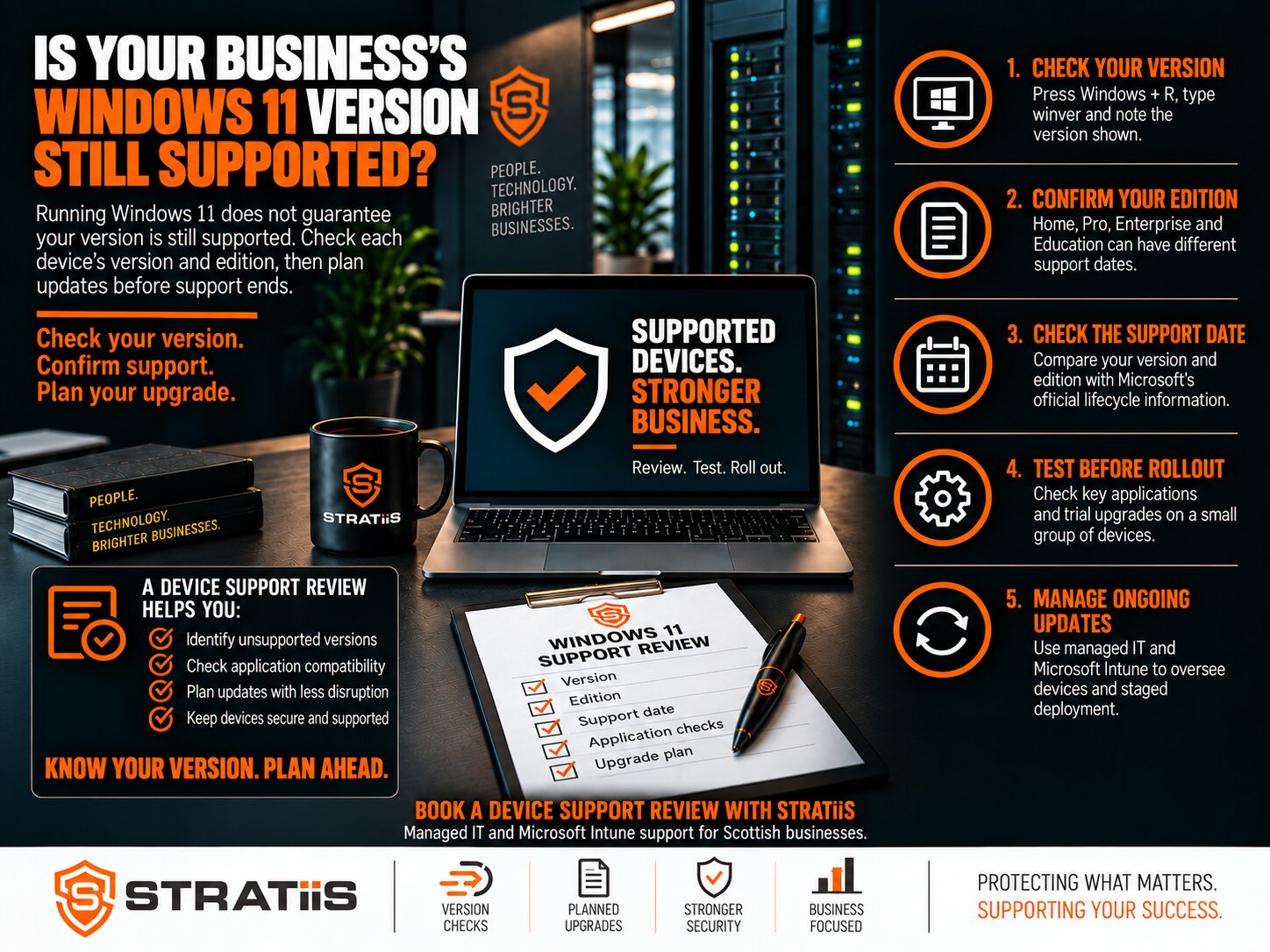
Running Windows 11 does not automatically mean every computer in your business is still receiving Microsoft security updates. Support depends on the version installed and the Windows edition your organisation uses.
For Scottish businesses with 10–100 users, checking those details should be part of routine IT management. A laptop can look modern, run familiar applications and still be approaching the end of updates.
Is your Windows 11 version still supported?
Check the version and edition on every business device. Windows 11 version 24H2 Home and Pro reach the end of updates on 13 October 2026. Enterprise and Education editions follow different dates, while newer releases such as 25H2 and 26H2 remain supported for longer. [1, 2]
In this guide
Why Windows 11 Version and Edition Matter
Windows 11 is the operating system name. The version, such as 24H2 or 25H2, identifies a particular release. The edition, such as Pro or Enterprise, determines which support timetable applies.
Updates end 13 October 2026
A business laptop running this combination needs a prompt, tested route to a supported release.
Supported until 12 October 2027
The same version number has a later deadline because the edition follows a different lifecycle.
If your device list records only “Windows 11”, ask your IT provider to add the version, edition and support deadline. This makes it possible to identify which computers need attention first.
Windows 11 Support Dates to Check
The table covers common annual releases on the General Availability Channel. Dates were checked on 5 October 2026. [1]
| Version | Home and Pro End of updates |
Enterprise and Education End of updates |
|---|---|---|
| 23H2 | Already ended | 10 November 2026 |
| 24H2 | 13 October 2026 | 12 October 2027 |
| 25H2 | 12 October 2027 | 10 October 2028 |
| 26H2 | 10 October 2028 | 9 October 2029 |
How to Check Your Windows Version
You can check an individual computer without changing its settings. For a business with several devices, request a central inventory rather than relying on each employee to report their own computer.
Use Start or the search box on the taskbar.
Type winver, press Enter and record the version and OS build.
Open Settings > System > About and check Windows specifications.
Include home-working laptops, spare machines, shared workstations and other sites.
Microsoft also provides guidance on checking the installed version. [3] Record when each device last checked in, because a computer that has been offline for months may be missing from the latest update report.
What Happens When Windows Updates End?
An affected computer can continue to start and run applications after its support deadline. However, it stops receiving the routine Windows security and quality updates covered by that release’s lifecycle. [2]
The computer still appears to work
Applications may open normally, which can create the impression that no action is required.
Operating-system protection has ended
Antivirus and other security controls do not replace Windows updates that are no longer being issued.
Where a machine cannot be upgraded promptly, ask your IT provider to document the reason, the risks, temporary controls and a date for resolving the exception. A device needed for specialist software should have a named owner and a plan.
Should Every Business Upgrade to 26H2 Immediately?
Microsoft announced Windows 11 26H2 on 29 September 2026. Eligible 24H2 and 25H2 devices can use an enablement package, which reduces the installation work compared with a full operating-system upgrade. Availability remains subject to rollout and compatibility safeguards, and Microsoft recommends targeted deployments for commercial customers. [4]
Base the decision on support, compatibility and business use
A supported 25H2 laptop can follow an agreed deployment schedule. A 24H2 Pro laptop approaching 13 October needs a prompt, tested route to a supported release.
For example, a Glasgow business with 35 users might test an upgrade on representative office and remote-working devices before scheduling the remaining computers. If an accounts application fails testing, the responsible supplier should help confirm a supported upgrade path.
How to Plan an Upgrade With Less Disruption
A controlled deployment treats the Windows upgrade as a business change rather than a one-click technical task.
Check the inventory
Identify affected versions and editions, hardware readiness, storage, pending restarts and devices that are not reporting reliably.
Test real business work
Check accounts software, document systems, VPN access, printing, scanners, peripherals and specialist applications with a pilot group.
Confirm recovery
Verify that important files are protected and authorised staff can access encryption recovery keys and recovery options.
Schedule the rollout
Agree deployment groups, restart windows and employee communications around trading hours, site access and important deadlines.
Verify the outcome
Confirm the installed version and later security updates, investigate failures and track every exception to completion.
Coordinate specialist systems
Manufacturing, accountancy and other sector-specific software may need supplier approval before the Windows release changes.
How Microsoft Intune Can Help
Microsoft Intune supports central Windows update management. Update rings control deployment timing and restart behaviour, while feature-update policies help administrators choose the Windows release to deploy. This supports a staged approach across groups of devices. [5]
The policies still need appropriate licensing, enrolment and configuration. Someone must review failures, offline devices and exceptions, then confirm that the intended updates were actually installed.
What to Ask Your IT Provider
A useful report should give business leaders clear answers rather than simply listing device names.
These responsibilities should be clear within your managed IT support service or agreed with your internal IT team. Confirm whether the work is included in the existing agreement or needs a separately scoped project.
Arrange a Windows Device Support Review
Stratiis helps organisations across Scotland review Windows inventories, identify support deadlines and plan upgrades around applications, working hours and internal IT resources.
Arrange a Windows device support review
Call 0141 348 7960 to discuss your requirements.
Sources
Microsoft support dates and product guidance were checked on 5 October 2026. The links below support the numbered references in this article.
- Microsoft Learn — Windows 11 release information
- Microsoft Learn — Windows 11 version 24H2 known issues and notifications
- Microsoft Support — Windows Update Assistant and installed-version check
- Windows Experience Blog — How to get the Windows 11 2026 Update
- Microsoft Learn — Windows update management overview for Intune


