
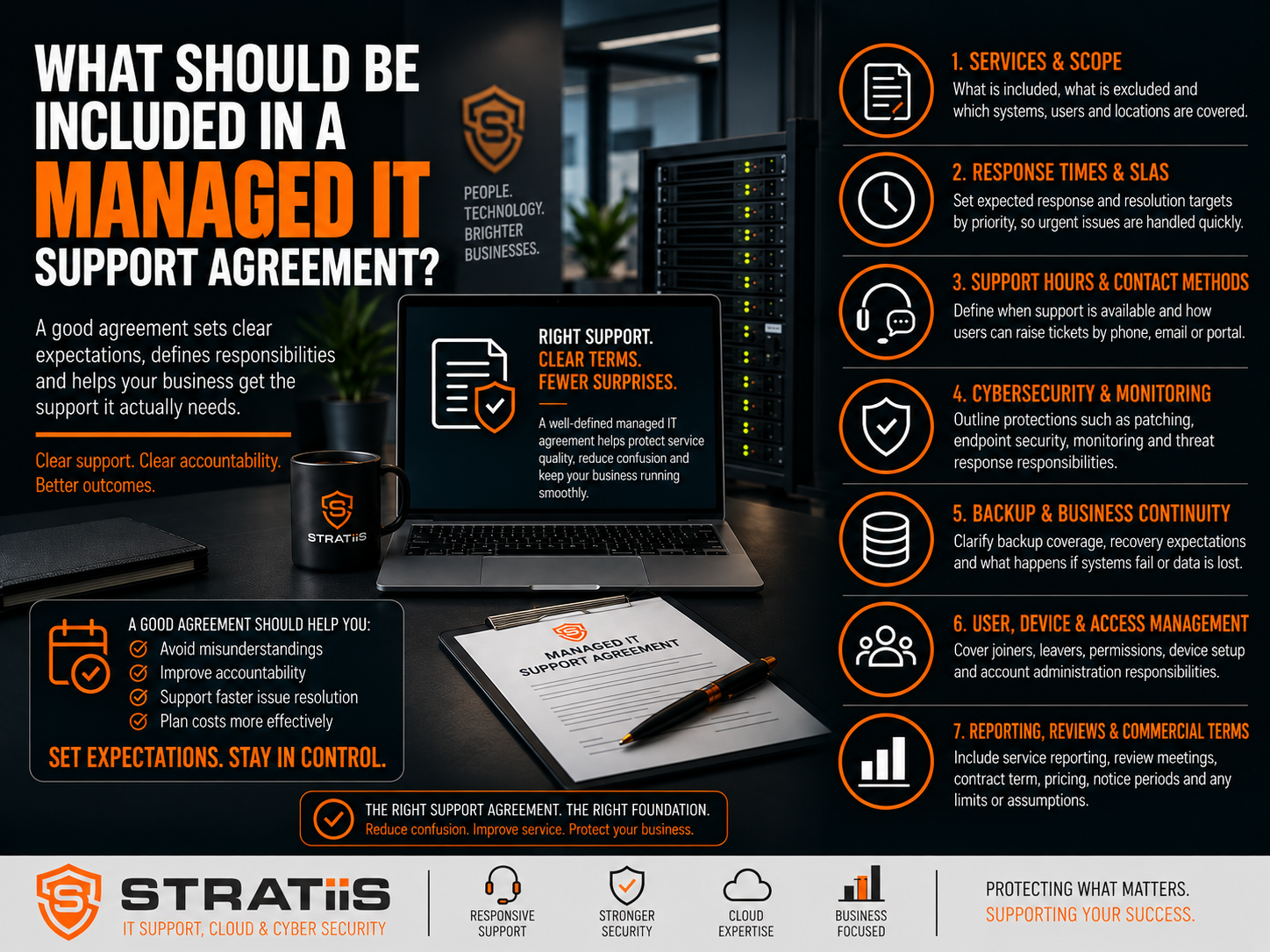
When a business appoints a managed IT provider, the quality of the service should not depend on assumptions, informal promises or what somebody remembers discussing during the sales process.
A good managed IT support agreement should clearly explain what the provider will deliver, what the customer remains responsible for, how quickly issues will be handled, how security and backups will be managed, what will cost extra and what happens when the relationship ends.
For small and mid-sized businesses, this matters because the managed service provider may be responsible for a significant proportion of the organisation’s technology environment. The agreement should remove uncertainty before it becomes disruption, unexpected cost or avoidable risk.
Seven things a strong agreement must make clear
Service scope · Support experience · Proactive management · Cybersecurity and resilience · Users and cloud services · Governance and strategy · Commercial and exit terms
In this guide
A managed IT support agreement is the contract between a business and its managed service provider, or MSP. The exact contents vary, but the central purpose is always the same: both sides should understand precisely where the provider’s responsibility begins and ends.
Chapter 1
Services, Coverage and Exclusions
“Managed IT support” can mean very different things. One MSP may provide comprehensive monitoring, patching, endpoint management, Microsoft 365 administration and cybersecurity. Another may provide little more than access to a helpdesk. The agreement should identify the individual services being delivered and the technology they apply to.
| Area | The agreement should define | Points to check |
|---|---|---|
| Support services | Helpdesk, remote and on-site support, endpoint and server management. | Which requests are included and which are treated as projects? |
| Systems covered | Laptops, desktops, servers, networks, firewalls, wireless, printers and mobile devices. | Are remote workers and every office or site included? |
| Cloud platforms | Microsoft 365, Exchange Online, Teams, SharePoint, OneDrive and other cloud services. | Does “support” include administration, security configuration and licences? |
| Security services | Endpoint protection, email security, DNS filtering, vulnerability management and reporting. | Which products and operational responsibilities are included? |
| Specialist technology | Line-of-business applications, manufacturing equipment or unusual sector-specific systems. | Is the MSP responsible, coordinating a vendor or providing reasonable-efforts support? |
Chapter 2
Support Hours, SLAs and Escalation
The agreement should describe the support experience your users can expect—not merely say that a helpdesk exists.
01
Availability
State standard hours, public-holiday arrangements, contact methods and whether evenings, weekends or 24/7 support are included or optional.
02
Prioritisation
Priorities should reflect the number of users affected, business impact, urgency, security risk and availability of a workaround.
03
Escalation
Define the route from first-line support to senior engineers, infrastructure or security specialists, management and third-party vendors.
| Priority | Example | Typical objective |
|---|---|---|
| Critical | The entire business is unable to work or a major security incident is in progress. | Immediate or very rapid response and escalation. |
| High | A major system is unavailable or a group of users is severely affected. | Rapid response with active ownership. |
| Medium | An individual user is significantly affected but alternatives may exist. | Standard priority response. |
| Low | A minor issue, information request or low-impact change. | Lower-priority scheduled response. |
Response time
The time before the MSP acknowledges and begins dealing with an issue.
Resolution time
The time required to restore service or completely resolve the issue.
These are not the same. Resolution can depend on hardware suppliers, software vendors, internet providers and other third parties, so response and escalation commitments are generally more controllable than guaranteed resolution times. On-site support should also state any call-out or travel charge, geographical coverage, expected response and whether scheduled visits are included.
Chapter 3
Proactive Monitoring, Patching and Documentation
Managed IT should not mean waiting for users to report problems. The agreement should show how the MSP will maintain visibility, reduce avoidable incidents and keep the technology environment supportable.
MONITOR
Proactive monitoring
Servers, workstations, device health, disk capacity, backups, security alerts, networks, connectivity, Microsoft 365 and patch compliance.
PATCH
Patch management
Windows, Microsoft and third-party applications, servers, firewalls, network infrastructure and endpoint-security tools—including urgent security updates.
RECORD
Documentation and assets
Network configuration, users, devices, suppliers, licences, backups, security controls, protected credentials and recovery procedures.
An asset register should record the device type, manufacturer, model, serial number, assigned user, location, purchase date, warranty, operating system and expected replacement date. This turns basic inventory into useful lifecycle and budget planning.
The agreement should also define the MSP’s role when a problem involves an internet provider, software vendor, phone-system provider, printer supplier or cloud platform. Effective vendor coordination prevents the customer being passed repeatedly between suppliers.
Chapter 4
Cybersecurity, Backup and Disaster Recovery
Cybersecurity is central to modern managed IT, but businesses should not assume every protection is automatically included. The agreement should specify the controls provided, who monitors them and which decisions or actions remain with the customer.
| Control area | The agreement should make clear | Question to ask |
|---|---|---|
| Endpoint and identity | EDR or antivirus, multi-factor authentication, device management and administrator controls. | Who monitors alerts and responds when a threat is detected? |
| Email and web | Email security, phishing protection, DNS filtering, web protection and security configuration. | Are these included for every user and device? |
| Vulnerability management | Scanning, prioritisation, patching, remediation ownership and reporting. | Are vulnerabilities merely reported, or actively managed through to closure? |
| People and assurance | Awareness training, phishing tests, Cyber Essentials support and management reporting. | How will progress and outstanding risk be communicated? |
| Backup | Systems protected, frequency, retention, storage, monitoring and restoration requests. | Is Microsoft 365 independently backed up and are restores tested? |
| Disaster recovery | Server or cloud recovery, testing, documentation and business-continuity responsibilities. | What will be recovered, in what order and to what expected timescale? |
Chapter 5
Users and Microsoft 365
For many businesses, Microsoft 365 is one of their most important platforms. The agreement should define responsibility for Exchange Online, Teams, SharePoint, OneDrive, licences, password resets, security configuration, Conditional Access and Intune device management. It should also distinguish routine administration from separately charged configuration or migration projects.
JOIN
Joiners
Create accounts, assign licences, configure devices, apply security policies and provide appropriate access to shared resources.
MOVE
Movers
Update permissions, group membership, application access and device or licence requirements when roles change.
LEAVE
Leavers
Block accounts, revoke sessions, remove access, protect company data and reassign email or files securely.
The customer will normally be responsible for notifying the MSP promptly when somebody joins, changes role or leaves. The agreement should identify the authorised contacts, notice required and information the MSP needs to complete each request securely.
Chapter 6
Reporting, Reviews and Shared Responsibilities
A managed service should give directors and managers useful visibility—not simply pages of technical statistics. Reporting should connect operational performance and cyber risk with future business decisions.
| Governance area | Provider responsibility | Customer responsibility |
|---|---|---|
| Service reporting | Report ticket volumes, response performance, device health, patching, backups, vulnerabilities and recommendations. | Review material findings, challenge performance and approve necessary action. |
| Strategic reviews | Discuss the technology roadmap, budget, security, lifecycle, cloud, continuity, growth and digital transformation. | Share business plans, priorities, constraints and upcoming organisational change. |
| Day-to-day cooperation | Maintain agreed services, documentation, controls and communication routes. | Notify joiners and leavers, follow policies, maintain contacts, provide access and report suspected incidents. |
| Supported technology | State policies for legacy systems and provide replacement or risk-reduction recommendations. | Use supported, licensed technology or consciously accept and manage the additional risk. |
| Data protection | Protect administrative access and customer information and meet applicable processing obligations. | Ensure suitable governance, instructions, permissions and data-processing arrangements are in place. |
For growing organisations, strategic reviews may be provided through a vCIO or technology-review service. If included, the agreement should state their frequency, attendees and intended outputs.
Chapter 7
Pricing, Contract Length and Exit Terms
The commercial terms should be as clear as the technical service. Customers need to understand the recurring price, what changes it and what assistance they will receive if they later move to another provider.
| Term | What to confirm before signing |
|---|---|
| Monthly pricing | Per-user or per-device charges, included licences and how employee or device changes affect the fee. |
| Additional charges | Projects, hardware, software, on-site work, out-of-hours support, procurement and annual price reviews. |
| Contract length | Minimum term, renewal method and required notice. Monthly, 12-, 24- and 36-month arrangements can all be valid when clearly understood. |
| Termination | How either party can end the agreement, any termination charge and the transition assistance included. |
| Handover | Secure transfer of documentation, administrative access, passwords, licences and relevant information; removal of management tools; and cooperation with the incoming provider. |
| Ownership | The customer should retain appropriate control of its domains, Microsoft 365 tenant, data, cloud services, licences, documentation and backup data. |
Questions to Ask Before Signing
Use these questions to test whether the agreement is clear enough to support a successful relationship:
If the answers are unclear before signing, they are unlikely to become clearer afterwards.
Warning Signs of a Poor IT Support Agreement
!
Vague scope
Services and exclusions are described loosely, leaving too much open to interpretation.
!
Weak accountability
There are no meaningful response targets, escalation route or named responsibilities.
!
Security gaps
Cybersecurity, backup and recovery responsibilities are missing or assumed.
!
Unclear costs
Additional charges, licence costs and price-review arrangements are difficult to understand.
!
Provider lock-in
The MSP owns important customer accounts or makes termination excessively difficult.
!
No strategic view
The service provides no useful reporting, lifecycle planning or review process.
Should a Small Business Have a Formal Managed IT Agreement?
Yes. Even a relatively small business may depend heavily on Microsoft 365, email, connectivity, cloud applications, remote working, cybersecurity and company data. If those systems are essential to the operation of the business, responsibility for managing them should be formally documented.
A Managed IT Agreement Should Provide Clarity, Not Complexity
The best managed IT agreements are not necessarily the longest. They are the ones that answer the important questions: what is the customer responsible for, what is the MSP responsible for, how quickly will problems be handled, what protection is included, what costs extra, how will technology be reviewed and what happens when the relationship ends?
When those points are clear, both parties have a much stronger foundation for a successful long-term relationship.
Looking for Managed IT Support in Scotland?
Stratiis provides managed IT support, cybersecurity, Microsoft 365, cloud, connectivity and strategic technology services to small and mid-sized organisations across Scotland. We can help you review an existing agreement, compare providers or understand what a modern managed service should include.


