
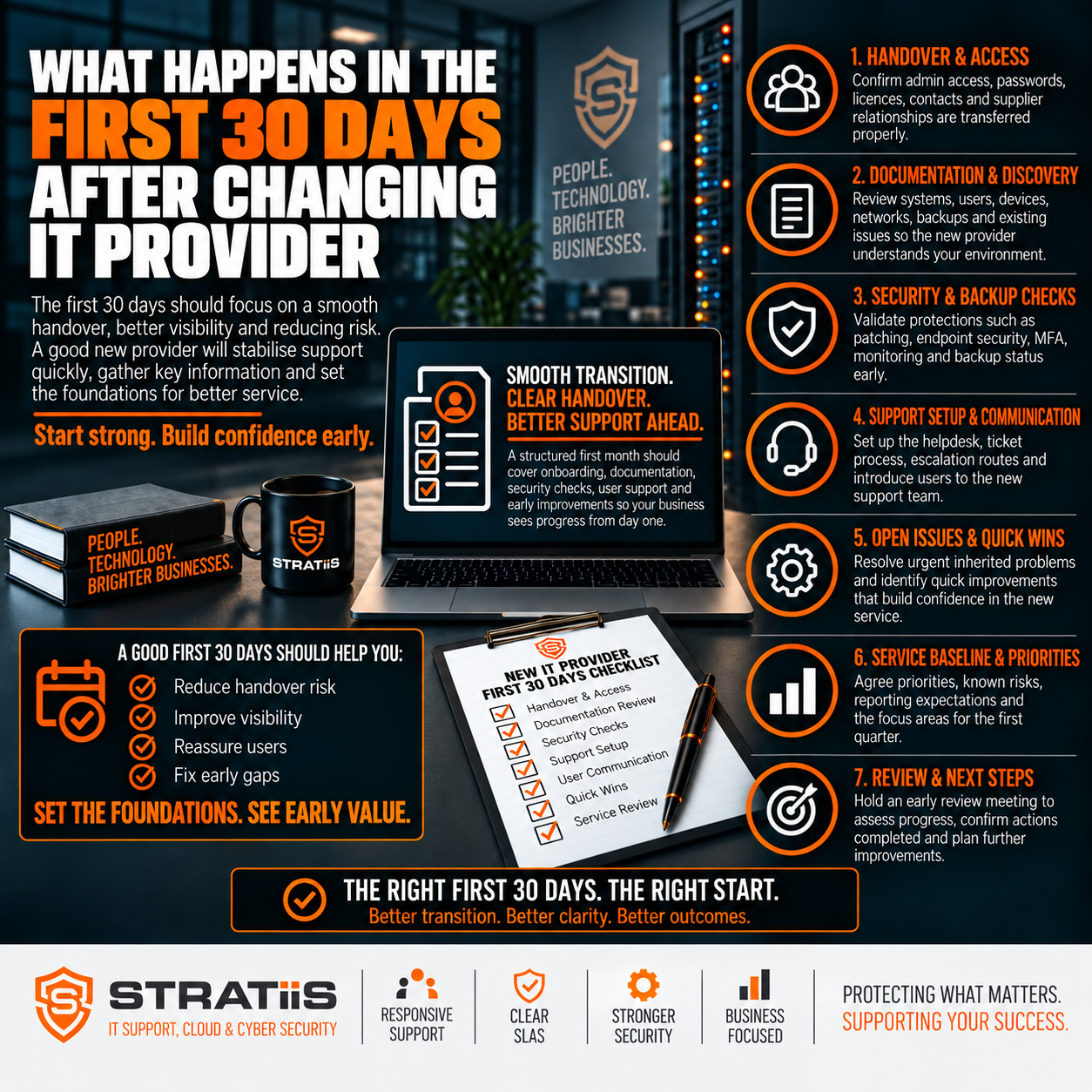
During the first 30 days after changing IT provider, the new MSP should establish secure control of the environment, introduce the support service, verify devices and critical systems, review cybersecurity and backups, document inherited risks, and agree a prioritised 90-day improvement plan. Day-to-day work should continue with as little disruption as possible.
The short answer
A good onboarding moves through five stages: plan the handover before day one; confirm access and ownership; deploy support, monitoring and security tools; review the wider environment and business priorities; then present findings, urgent actions and the next 90-day plan. The first month should create visibility and stability rather than attempt to change everything at once.
In this guide
Days 1–5: establish control
Days 5–10: deploy tools
Days 10–15: review security
Days 15–20: assess the environment
Days 20–25: understand the business
Days 25–30: report and plan
What employees and leaders should notice
What should exist after 30 days
Warning signs of poor onboarding
Common questions
BEFORE DAY ONE
Plan the Handover Before the Old Contract Ends
The best MSP transitions begin while the outgoing provider is still responsible for the service. Agree dates, contacts, support communications, escalation routes, critical systems, supplier dependencies and the division of responsibility during any overlap.
01
People and dates
Name the executive sponsor, day-to-day coordinator, outgoing MSP contact, incoming MSP lead and authorised decision makers.
02
Access and records
Request administrator credentials, device and licence records, network information, backup details and supplier contacts.
03
User communication
Tell employees when support changes, how to request help, what visible changes to expect and where urgent issues should go.
The written scope should also be clear. Compare the new service with What Should Be Included in a Managed IT Support Agreement? so both sides understand responsibilities, exclusions, response targets and chargeable work.
DAYS 1–5
Establish Control and Visibility
The first priority is to prove that the incoming provider can reach and administer the services it has agreed to support. Credentials supplied by the outgoing MSP should be tested rather than assumed to be complete.
| Control area | What the MSP should verify | Evidence or outcome |
|---|---|---|
| Identity and Microsoft 365 | Tenant access, administrator roles, users, licences, MFA, Conditional Access, Exchange, SharePoint, OneDrive and Teams. | Named administrative accounts, access test and initial concerns recorded. |
| Domains and DNS | Legal ownership, registrar, DNS hosting, renewal dates and every person with access. | The organisation retains appropriate control of its domain and records. |
| Infrastructure | Servers, firewalls, switches, Wi-Fi, VPNs, cloud platforms and business applications. | Critical systems are reachable and assigned to an owner. |
| Backup and security | Backup portals, endpoint protection, monitoring, remote access and alert destinations. | Coverage and administrative access are confirmed. |
| Privileged access | Shared, generic, former employee and outgoing provider accounts, plus excessive permissions. | Unneeded access is removed or scheduled for controlled removal. |
Secure control
Use individual administrator accounts, MFA, appropriate privilege and documented emergency access.
Document gaps
Record missing passwords, diagrams, supplier details and ownership rather than allowing uncertainty to remain hidden.
DAYS 5–10
Deploy Support, Monitoring and Management Tools
Once access is established, the new provider can deploy the tools required to deliver the contracted service. Changes should be coordinated to avoid conflicting security products, duplicated alerts or unnecessary disruption.
Remote support
Deploy the approved remote assistance tool and explain how users can verify a genuine support session.
Monitoring and patching
Bring supported devices and servers into monitoring, inventory and patch-management platforms.
Endpoint security
Confirm the approved antivirus or EDR platform before replacing inherited agents.
Old MSP tools
Coordinate the removal of old monitoring, remote access, backup and security software.
Asset inventory
Record device owner, location, operating system, age, warranty, encryption and management state.
Support routes
Test the portal, email address, telephone number, priority process and escalation contacts.
Onboarding should reflect What Is Actually Included in Fully Managed IT Support?. If the contract excludes a device, system or activity, the provider should identify the boundary rather than leave it ambiguous.
DAYS 10–15
Review Cybersecurity, Microsoft 365 and Backup
The transition is an opportunity to examine inherited risk. The aim during this stage is to find significant gaps, confirm who monitors important controls and prioritise urgent action. A full redesign can follow after the environment is understood.
01
Endpoints
Check EDR or antivirus, encryption, patch status, local administrator rights and missing devices.
02
Identity
Review MFA, administrator roles, legacy authentication, inactive accounts and risky access.
03
Assess phishing and impersonation protection, mail policies, SPF, DKIM and DMARC.
04
Microsoft 365
Review Conditional Access, external sharing, security configuration, licences and suspicious activity.
05
Backups
Confirm workloads, frequency, retention, storage, monitoring, failures and recent restore evidence.
06
Response
Define who receives alerts, who investigates them and how serious incidents are escalated.
DAYS 15–20
Assess the Wider IT Environment
With monitoring and access in place, the MSP can build a reliable baseline of the infrastructure it has inherited. This separates urgent operational risk from planned lifecycle and improvement work.
| Area | Questions to answer | Initial output |
|---|---|---|
| Hardware lifecycle | Which laptops, servers, firewalls, switches and access points are unsupported, unreliable or out of warranty? | Prioritised replacement and warranty view. |
| Patch compliance | Are operating systems, servers, applications and network devices receiving security updates? | Exceptions, risk and remediation owners. |
| Network | How do firewalls, switching, Wi-Fi, VPNs and site connections work together? | Current diagram and undocumented dependencies. |
| Connectivity | What depends on the internet, is backup connectivity available, and has failover been tested? | Business continuity risks and improvement options. |
| Applications and suppliers | Which applications are critical, who supports them and what infrastructure do they require? | Ownership and escalation map. |
This stage gives the organisation an evidence-based view of inherited technology. It also tests whether the MSP’s proposed approach matches the questions set out in What Questions Should You Ask Before Choosing a Managed IT Provider?.
DAYS 20–25
Understand the Business Behind the Technology
A support provider cannot set sensible priorities from technical data alone. It needs to understand what the organisation does, when it operates, which processes cannot stop and who can approve change.
Critical services
Identify the applications, communications, sites and processes where downtime has the greatest impact.
Departments and workflows
Map dependencies around finance, operations, customer service, production, projects and document management.
Authorised contacts
Name the people who approve users, permissions, purchases, security changes, projects and emergencies.
Joiners and leavers
Document request, approval, device preparation, access removal and data transfer steps.
Support priorities
Agree how business impact determines ticket priority and when management should be contacted.
Future plans
Capture growth, locations, applications, compliance needs and upcoming projects that affect the service.
DAYS 25–30
Report Findings and Agree the Next 90 Days
By the end of the first month, the provider should turn technical discovery into a clear management view. The report should separate immediate risks, short-term improvements, medium-term projects and longer-term recommendations.
NOW
Stabilise
Close exposed access, missing backup, failed protection, serious patching and unsupported-system risks.
30–60
Standardise
Complete tool deployment, improve Microsoft 365 security, resolve documentation gaps and align support processes.
60–90
Improve
Plan lifecycle, resilience, network, device-management and strategic projects using agreed priorities and budgets.
| Report section | What leadership should receive |
|---|---|
| Service readiness | Support routes, escalation, monitoring coverage, device counts and outstanding onboarding actions. |
| Risk | Security, backup, unsupported technology, resilience and ownership findings ranked by impact and urgency. |
| Commercial position | Licence quantities, excluded assets, chargeable remediation and any scope assumptions that need correction. |
| Action plan | Owner, target date, cost or decision needed for each agreed improvement. |
| Review rhythm | Operational reviews, cybersecurity reporting, quarterly business reviews and roadmap discussions. |
Onboarding should provide evidence that supports future reviews, including What Should You Check Before Renewing Your IT Support Contract? and What Should Business Leaders Ask During an MSP Review Meeting?.
What Should Employees and Leaders Notice?
Employees
People may see new support details, a portal, remote-support software, security agents or login prompts. They should know who to contact and continue working normally wherever possible.
Leadership
Managers should gain clearer visibility of risk, backup status, device lifecycle, Microsoft 365 security, current priorities and required investment.
A well-managed transition feels controlled. The provider communicates planned changes, explains visible prompts and avoids unnecessary disruption while it builds an accurate picture.
What Should Exist by the End of 30 Days?
The exact output depends on the size and complexity of the organisation, but leaders should expect evidence that control, coverage and priorities have been established.
Access register
Confirmed ownership and controlled administrator access for important systems.
Asset baseline
Known users, devices, servers, networks, sites and managed status.
Support model
Clear contact routes, priority rules, escalation and authorised decision makers.
Security findings
Endpoint, identity, email, Microsoft 365 and privileged-access risks.
Backup visibility
Coverage, monitoring, failures, retention and restore evidence.
90-day plan
Prioritised actions with owners, decisions, dates and likely costs.
Warning Signs of Poor MSP Onboarding
Inherited gaps are common. The concern is a provider that fails to identify them, cannot explain what it controls or produces no structured improvement plan.
01
Control remains unclear
Important credentials, ownership, old provider access or supported assets are still unknown.
02
Protection is assumed
Backup, MFA, endpoint security and monitoring have not been verified.
03
Users are confused
Employees do not know how to contact support or which provider owns an issue.
04
No findings are shared
Leadership receives activity updates without a clear risk and service assessment.
05
Everything changes at once
Tools and settings are replaced before dependencies and business impact are understood.
06
No next step exists
The onboarding ends without owners, priorities, review dates or a 90-day plan.
If poor service and weak planning formed part of the reason for moving, compare the new experience with The 7 Warning Signs Your Business Has Outgrown Its Current IT Provider.
Common Questions About Changing IT Provider
Should both MSPs operate at the same time?
A short overlap can help while access, documentation and tools transfer. Responsibilities, dates and escalation routes must be explicit so users and providers know who owns each issue.
What if the old MSP is uncooperative?
The incoming provider may need to recover organisation-owned access through Microsoft 365, domain registrars, vendors, devices and network equipment. This is why the business should retain appropriate ownership of important services.
How long should an MSP transition take?
A small cloud-first business may move quickly. A multi-site organisation with servers, specialist applications, complex networks and several suppliers may need a longer onboarding. The plan should reflect the environment rather than force every transition into the same timetable.
Should everything be changed in the first month?
No. The first month should establish control, reduce immediate risk, stabilise support and create a plan. Major changes should follow agreed priorities and testing.
What should management ask at the 30-day review?
Ask what is controlled, what remains unknown, which risks need urgent decisions, what is excluded from the service, what will happen in the next 90 days and how progress will be reported.
What is the clearest sign that onboarding has worked?
Employees know how to get help, important systems are under controlled management, leaders can see the main risks and the provider has an agreed improvement plan with accountable owners.
Planning to Change IT Provider in Scotland?
Stratiis can plan the handover, establish secure control, assess the inherited environment and move support with a structured onboarding process.


