
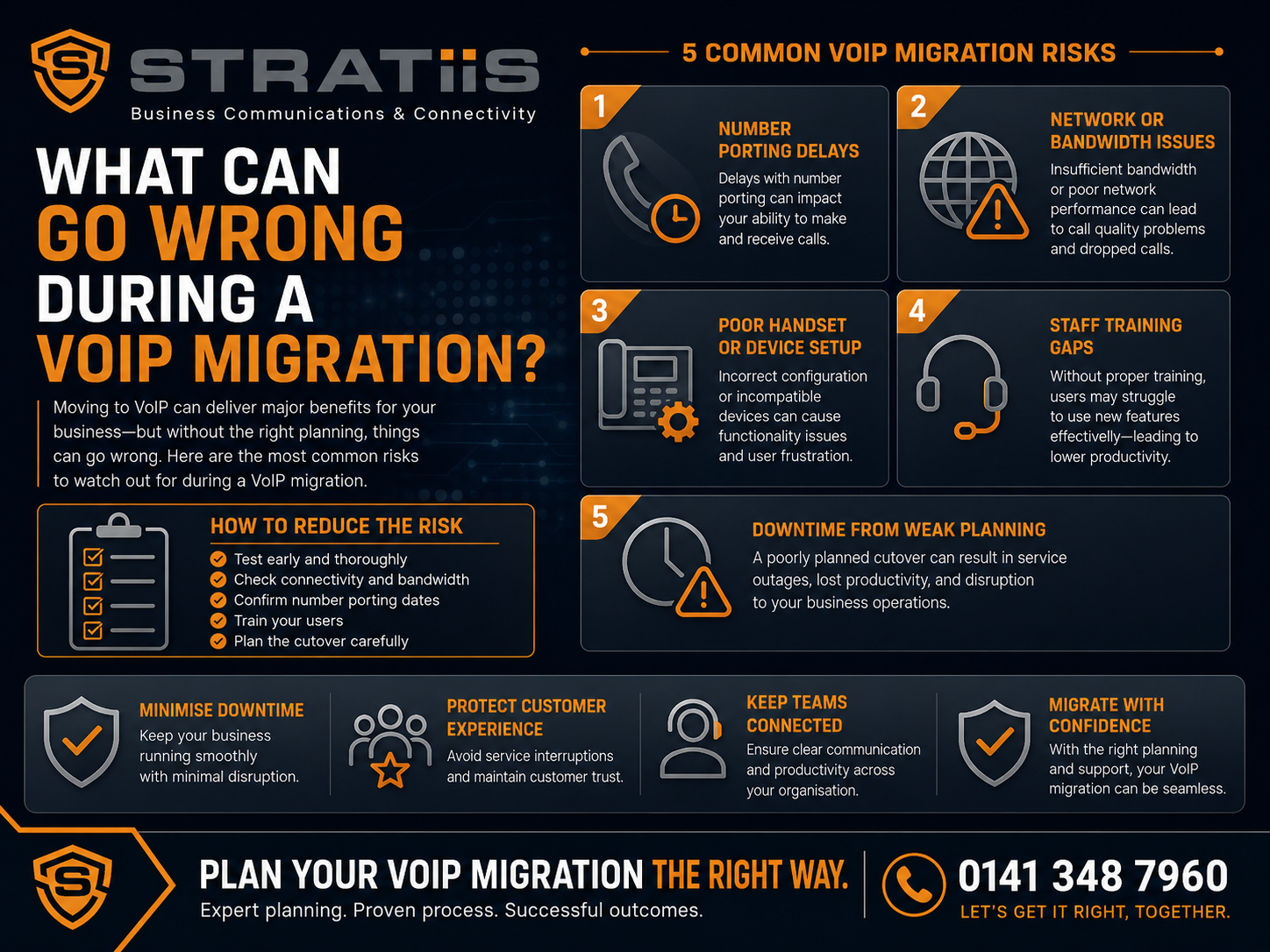
A VoIP migration can improve flexibility, support hybrid working and replace an ageing telephone system. However, it can also disrupt customer calls when telephone numbers, call routing, connectivity, devices and employee training are not properly planned.
Most VoIP migration problems are predictable. They usually come from incomplete information, weak preparation or insufficient testing rather than from VoIP technology itself.
This guide explains what can go wrong during a VoIP migration, why those problems happen and how to reduce the risk before your organisation depends on the new phone system.
The five most common VoIP migration risks
Number porting: business numbers are delayed, rejected or cancelled too early. Network readiness: internet, Wi-Fi, firewalls or switches affect call quality. Call routing: customers reach the wrong people or follow a poor call journey. User readiness: phones, applications and training do not match how employees work. Project ownership: suppliers support separate components without anyone owning the complete migration.
In this guide
VoIP migration risks at a glance
Telephone numbers and number porting
Network readiness and call quality
Call routing and customer experience
Phones, applications and employee training
Continuity, security and legacy services
What a VoIP migration plan should include
Questions to ask a VoIP provider
VoIP migration FAQs
What Is a VoIP Migration?
VoIP stands for Voice over Internet Protocol. A VoIP migration moves business telephone services from an existing or legacy platform to a service that carries calls through internet and data networks.
The new service may be described as Hosted Voice, cloud telephony, a hosted phone system, cloud PBX, Microsoft Teams Phone, Unified Communications or business VoIP. Whatever the name, the migration normally affects more than the telephone provider.
| Migration area | What may change | Why it matters |
|---|---|---|
| Numbers | Main numbers, direct dials, department numbers and non-geographic services. | Customers must continue reaching the business through familiar contact details. |
| Call handling | Reception, auto-attendants, queues, voicemail, opening hours and overflow. | The new design must reflect how calls are actually answered. |
| Users and devices | Desk phones, headsets, desktop software, mobile applications and user licences. | Employees need the right tools and permissions for their role. |
| Infrastructure | Internet, firewalls, switches, Wi-Fi, cabling, power and failover. | Voice quality and availability depend on the complete network path. |
| Working practices | Call transfers, hybrid working, recording, reporting and support. | A technically working platform can still fail if people cannot use it effectively. |
Chapter 1
VoIP Migration Risks at a Glance
| Risk | What can happen | How to reduce it |
|---|---|---|
| Failed number port | Numbers do not transfer, the date changes or customers cannot reach the business. | Audit every number, account, address and connected range before submitting the request. |
| Old service cancelled early | Numbers, broadband or linked analogue services are disconnected. | Keep the existing service active until porting and live testing are complete. |
| Poor call quality | Calls sound robotic, break up, echo, delay or drop. | Test bandwidth, packet loss, jitter, latency, Wi-Fi, switching and firewall behaviour. |
| Incorrect call routing | Sales calls reach accounts, queues overflow incorrectly or out-of-hours messages run at the wrong time. | Document and approve every important call flow with the employees who answer calls. |
| Device problems | Phones do not register, headsets fail or mobile applications do not ring. | Test the exact hardware, firmware, operating systems and user profiles before deployment. |
| Training gaps | Employees miss calls, transfer incorrectly, ignore voicemail or continue using the old system. | Provide role-based training shortly before launch, with practical guides and launch support. |
| Weak resilience | An internet or power failure takes office calling offline. | Test internet failover, power protection, mobile alternatives and provider-level diversion. |
| Unclear ownership | The voice, internet, firewall and IT providers blame each other during an incident. | Name one migration owner and define a single escalation route across the complete service. |
Chapter 2
Telephone Numbers and Number Porting
Can existing business telephone numbers be retained?
In most cases, existing telephone numbers can be moved to the new service through number porting. A port can still be rejected or delayed when the account name, installation address, account number, current provider or main billing number is incorrect.
Problems also occur when a direct-dial range is incomplete, the business cannot prove authority to move the number or another service is connected to the same line. The gaining provider should therefore complete a full number audit before agreeing the migration date.
Main lines, direct dials, departments, former users, campaigns, fax and non-geographic services.
Match the legal account name, address, provider, account number and billing details.
Confirm whether individual numbers belong to a connected direct-dial block.
Decide who or what should answer each number after the migration.
What happens if only part of a number range is ported?
Numbers that appear separate to the business may be held by the provider as one connected range. Moving selected numbers without understanding that range can lead to rejected ports, numbers being left behind, unexpected cancellations or longer migration times.
When should the old telephone service be cancelled?
The old service should remain active until the number transfer is complete and every important incoming and outgoing route has been tested. Cancelling first can disconnect numbers, affect porting eligibility and unintentionally stop broadband or analogue services.
Read: Can We Keep Our Existing Telephone Numbers? →
Chapter 3
Network Readiness and Call Quality
Hosted Voice depends on the quality and stability of the network carrying the calls. Advertised broadband speed alone does not show whether a connection is suitable for real-time voice.
Internet connection
Assess upload and download capacity, packet loss, jitter, latency, busy-period performance, stability, repair commitments and failover.
Firewall and router
Confirm required traffic, capacity, firmware, VPN routing and platform-specific settings. Incorrect SIP handling can cause failed registration or one-way audio.
Switches and cabling
Check port capacity, Power over Ethernet, firmware, traffic prioritisation, cable standards, terminations and patching.
Managed Wi-Fi
Softphones need reliable coverage, capacity, roaming and interference management. Wi-Fi that supports email may still perform poorly for voice.
Internet failover
Test incoming and outgoing calls, phone reconnection and return to the primary connection. Existing calls may still drop during failover.
Power resilience
Protect the whole path, including fibre equipment, router, firewall, switches, Wi-Fi and phones—not just one device.
What causes robotic, delayed or broken audio?
Common causes include packet loss, jitter, high latency, upload congestion, poor Wi-Fi, overloaded firewalls, old switches, faulty cabling and busy home broadband. Cloud backups, CCTV uploads and other high-volume traffic can also compete with voice.
What causes one-way audio?
One-way audio means one person can hear the conversation but the other cannot. It may be caused by firewall rules, network address translation, VPN routing, SIP-related settings, provider configuration or Session Border Controller issues. Calls should be tested in both directions and from different device types.
Chapter 4
Call Routing, Features and Customer Experience
A new platform can be technically active while customer calls reach the wrong employee, queue or voicemail box. The provider needs an approved call-flow design covering the main number, departments, reception, opening hours, out-of-hours routing, holidays, overflow and emergency messages.
| Area to test | Typical migration problem | Required check |
|---|---|---|
| Incoming calls | Calls reach the wrong team, former users or voicemail. | Test every important number, queue, schedule and overflow route. |
| Outgoing identity | Customers see a temporary, hidden, personal or incorrect office number. | Test caller identity from desk phones, desktop software, mobiles and queues. |
| Transfers and reception | Users end calls, select the wrong transfer type or cannot retrieve callers. | Train and test receptionists, customer-service teams and frequent callers. |
| Queues and contact centre | Agents are missing, wait times are excessive or reporting is too limited. | Confirm whether the requirement needs a simple queue or a full contact-centre platform. |
| Voicemail | Old messages are lost, shared boxes are ignored or notifications fail. | Agree retention, greetings, ownership, alerts and escalation before launch. |
| Recording and reporting | The wrong calls are recorded, permissions are too broad or measures change. | Define recording scope, access, retention and reporting definitions. |
| CRM and Teams | Screen pops, click-to-call, presence or incoming-call behaviour does not match expectations. | Test the supported integration against representative users and real workflows. |
Chapter 5
Phones, Applications and Employee Training
Can existing VoIP phones be reused?
Compatible hardware may be reusable, but the exact model and firmware should be tested. Existing phones may be locked to the old provider, unsupported, unable to connect securely or missing required features. Forcing unsuitable devices onto the new platform can increase delays and support costs.
Why do mobile applications fail to ring?
Notifications may be disabled, battery optimisation may close the application, authentication may have expired or the employee may not be included in the correct call group. Representative Apple and Android devices should be tested before launch.
Why do headsets matter?
A good platform can appear unsuccessful when employees use uncomfortable or incompatible headsets. Check microphone quality, background-noise handling, call controls, battery life and the default audio device across laptops, desk phones, mobiles and meeting software.
What training should employees receive?
Training should happen shortly before migration and reflect each person’s role. General users, receptionists, customer-service teams, supervisors and administrators need different guidance.
Quick-reference guides, short videos, recorded sessions and launch-day assistance help employees retain the important steps. The old system also needs a clear retirement date so staff do not continue using two platforms indefinitely.
Chapter 6
Continuity, Security and Legacy Services
Which legacy services can be affected?
Traditional telephone lines may still support fax, alarms, lift emergency phones, door-entry systems, payment terminals, intercoms, building-management systems and other specialist equipment. Broadband may also be linked to the telephone line being moved.
Each service should be identified, assigned to an owner and reviewed with the appropriate specialist. Nothing should be cancelled simply because ordinary voice calls have moved.
What happens during an internet or power failure?
Cloud calling remains available in the provider’s platform, but office devices may lose connectivity or power. Continuity options include secondary broadband, 4G or 5G failover, mobile applications, mobile data, provider-level call diversion, another office and tested power protection.
What security controls does VoIP need?
Remote and mobile access increases the need for multi-factor authentication, named administrator accounts, least privilege, access reviews, device controls, joiner and leaver processes, monitoring and call-fraud restrictions.
International and premium-rate calling should be limited to users who need it. Spending thresholds, country restrictions, usage alerts and provider fraud monitoring can reduce exposure if an account is compromised.
What information may not transfer automatically?
Personal contacts, speed dials, call history, voicemail, shared directories, blocked-number lists and historical recordings may remain in the old platform. The organisation should decide what must be exported, rebuilt, retained or deliberately left behind before the previous contract ends.
Chapter 7
What Should a VoIP Migration Plan Include?
A controlled project should name the owner, define responsibilities and set realistic dates. It should cover the numbers, call flows, users, licences, equipment, connectivity, training, testing, continuity, escalation and old-service cancellation.
| Stage | Important activities | Evidence of readiness |
|---|---|---|
| Discovery | Audit numbers, bills, contracts, linked services, users, locations, call flows and business requirements. | Approved registers for numbers, users, devices, services and responsibilities. |
| Technical readiness | Assess internet, failover, firewall, switches, Wi-Fi, cabling, power, phones and headsets. | Documented tests, required changes and an agreed continuity design. |
| Build and pilot | Configure users, temporary numbers, routing, queues, voicemail, applications, recording and reporting. | A representative pilot covering reception, remote, mobile, heavy and general users. |
| Before porting | Train employees and test devices, internal calls, outgoing calls, transfers, queues, voicemail and failover. | Recorded results and approval to proceed with number transfer. |
| Migration day | Test main, direct and department numbers, caller identity, reception, routing, voicemail, recording and emergency calling. | Named owners confirm every critical test rather than assuming success. |
| After migration | Review call quality, missed calls, queues, support requests, licence use, reports, connectivity and remaining old services. | Issues have owners, training gaps are addressed and safe cancellations are completed. |
Should a VoIP migration include a pilot?
Yes. A pilot lets a smaller group test phones, applications, headsets, transfers, queues, recording, reporting, Wi-Fi and the real user experience. It should include operational employees as well as technical staff; technical success alone does not prove that reception, sales, finance or customer service can use the system effectively.
How much downtime should a business expect?
The objective is minimal disruption, but a provider should not promise zero downtime without explaining number-porting and network dependencies. Temporary routing, mobile applications, launch support and a documented escalation plan should be ready if the transfer is delayed or partially completed.
Chapter 8
Questions to Ask a VoIP Provider
Warning signs when choosing a provider
Be cautious when a provider sets a launch date before auditing the numbers, ignores internet and Wi-Fi, promises that every old phone can be reused without checking, dismisses training or testing, cannot explain a failed port, recommends cancelling the old service first or focuses only on the monthly licence price.
A strong provider should explain assumptions, limitations, responsibilities and expected behaviour clearly. Your business should have one support route rather than being expected to diagnose which supplier caused each problem.
VoIP Migration Frequently Asked Questions
Is a VoIP migration risky?
It carries risk because telephone numbers and customer calls are important, but most problems can be reduced through accurate information, realistic timescales, network preparation, employee involvement, testing, continuity planning and clear ownership.
What is the biggest VoIP migration risk?
Number porting is often the most commercially visible risk because an incorrect or incomplete request can delay the project or prevent customers reaching the business. A full number and service audit should happen before the migration date is fixed.
Does a fast internet connection guarantee good VoIP quality?
No. Call quality also depends on packet loss, jitter, latency, congestion, Wi-Fi, firewall behaviour, switching, cabling and the stability of the connection during busy periods.
Should the old phone system remain active during migration?
Yes. It should remain available until the number transfer and live testing have succeeded. The cancellation plan should then remove unnecessary services without disconnecting anything still required.
What should be tested on migration day?
Test incoming and outgoing calls, main and direct numbers, department routes, caller identity, transfers, reception, queues, auto-attendants, voicemail, mobile applications, recording, out-of-hours behaviour and emergency calling.
What does a successful VoIP migration look like?
Customers continue using familiar numbers, calls reach the correct teams, employees understand the system, the network and backup arrangements have been tested, support takes ownership and the old service is cancelled safely.
Related VoIP and Business Communications Guidance
Plan Your VoIP Migration With Confidence
Stratiis can review your existing phone system, telephone numbers, call flows, connectivity, Wi-Fi, firewalls, switches, devices and continuity requirements, then build a controlled migration plan.
Book a VoIP Migration Readiness Review
Or call 0141 348 7960


