
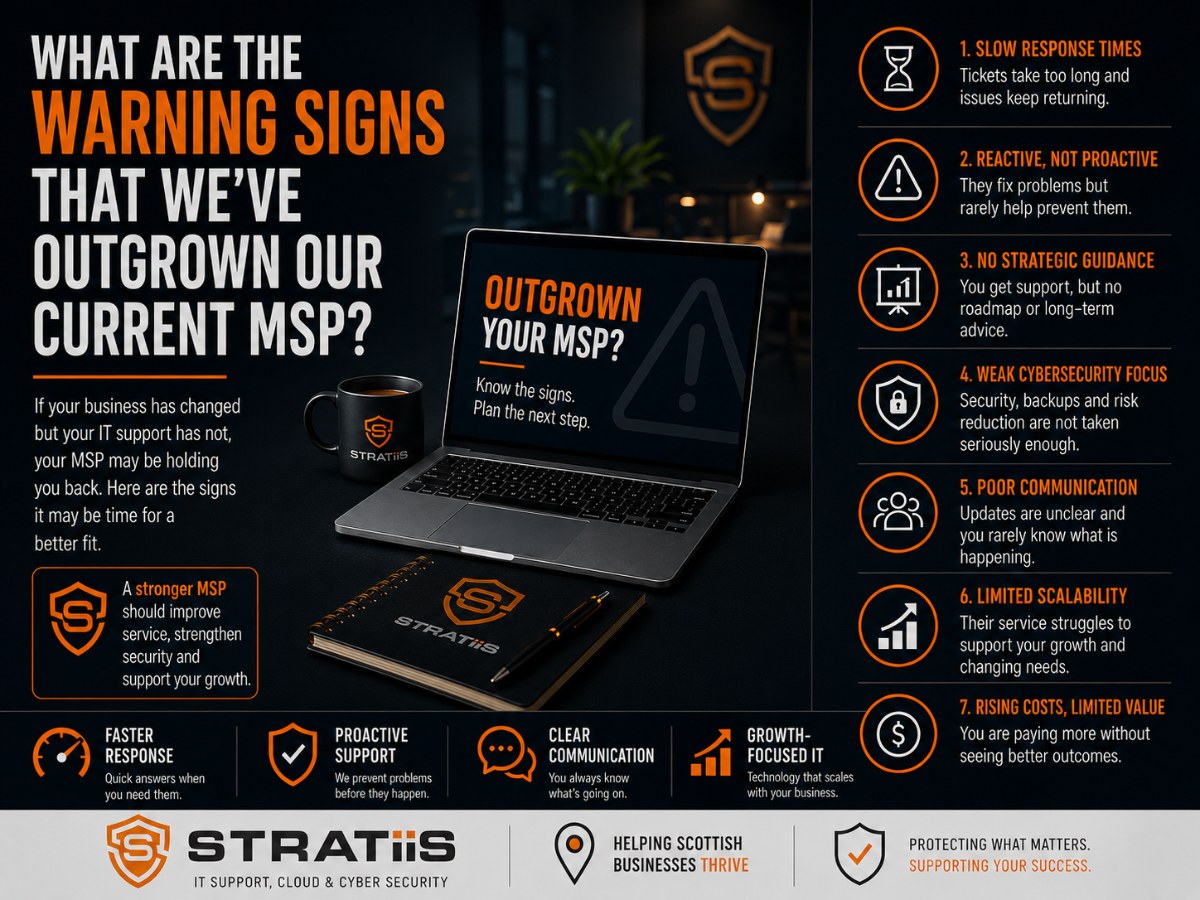
A managed service provider can be a strong fit at one stage of a business and struggle at the next. As headcount, systems, locations and risk increase, the organisation may need faster support, stronger cybersecurity, clearer planning and more mature service management. The warning signs usually appear as a pattern rather than one isolated problem.
The short answer
You may have outgrown your MSP when technical problems keep returning, cybersecurity is rarely discussed, there is no technology roadmap, response times no longer match business impact, future costs remain unclear, Microsoft 365 is underused, sector needs are misunderstood or technology is delaying growth. Three or more persistent gaps justify a formal service review and a time-bound improvement plan.
In this guide
1. Problems keep returning
2. Security is rarely discussed
3. No technology roadmap
4. Response no longer fits
5. Costs remain unclear
6. Microsoft 365 is underused
7. Limited sector understanding
8. Technology delays growth
What a modern MSP should deliver
MSP self-assessment
What to do next
THE CHANGING REQUIREMENT
Why Do Businesses Outgrow Their MSP?
Business growth changes what reliable IT support means. A provider that served a small office well may not have the capacity, processes or specialist knowledge required when the organisation has more employees, locations, applications, customers and compliance responsibilities.
More users and locations
Additional employees, sites and remote workers create more devices, support requests, access decisions and supplier dependencies.
Greater security exposure
More identities, information and systems increase the consequences of weak controls, delayed patching or untested recovery.
More complex decisions
Technology choices increasingly affect budgets, productivity, compliance, customer service and long-term growth.
WARNING SIGN 1
Technology Problems Keep Coming Back
Occasional faults are unavoidable. Repeated Wi-Fi issues, recurring Microsoft 365 problems, slow devices or ongoing connectivity failures suggest that symptoms are being fixed while the underlying cause remains.
What you may notice
The same tickets reopen, temporary workarounds become normal, users lose confidence and managers repeatedly chase for progress.
What good looks like
The MSP reviews trends, investigates root causes, documents known problems and completes permanent improvement work that reduces repeat demand.
Support should make the environment more stable over time. If preventable issues keep consuming employee hours, ask for evidence of proactive monitoring, problem management and ownership.
WARNING SIGN 2
Cybersecurity Is Rarely Discussed
Security should be part of normal service reviews, planning and day-to-day administration. If the MSP discusses cybersecurity only after an incident or at renewal, the organisation may be carrying risks that nobody has clearly assessed.
| Review area | Evidence to expect | Concern if absent |
|---|---|---|
| Identity | MFA coverage, administrator controls, Conditional Access and access reviews. | Compromised credentials may provide broad access. |
| Devices | Managed endpoint protection, patch status, encryption and alert ownership. | Threats or vulnerable equipment may remain unseen. |
| Recovery | Documented backup coverage, monitoring, retention and recent restore tests. | Successful backup jobs may be mistaken for proven recovery. |
| People | Awareness training, phishing guidance and a clear incident reporting route. | Employees may not recognise or escalate suspicious activity. |
A capable MSP should explain current risk, priorities, owners and target dates in language business leaders can use. Explore What Cybersecurity Protections Does a 50-Person Business Actually Need?
WARNING SIGN 3
There Is No Technology Roadmap
Resolving support tickets is essential, but a growing organisation also needs a view of what comes next. Without a roadmap, upgrades, lifecycle replacements and security work are often delayed until they become urgent and expensive.
Projects and replacements are prioritised beyond the next immediate purchase.
Devices, servers, networks and applications have known support and replacement dates.
Recurring services, licences, hardware and project costs are discussed before budgeting.
Recommendations reflect growth plans, working patterns, sector needs and operational priorities.
A mature MSP should help leadership turn technical findings into a practical sequence of decisions. See Technology Roadmaps and Strategic vCIO Services for the wider planning approach.
WARNING SIGN 4
Response Times No Longer Meet Business Needs
A response time that suited a 10-person office may create serious disruption in a 75-person organisation. Priorities should reflect the number of affected users, the business process at risk and the availability of a safe workaround.
Questions to ask
How quickly are incidents acknowledged? How long do they remain unresolved? Are priorities clear? Do users receive useful updates? Can urgent issues reach the right specialist?
What good looks like
The agreement defines support hours, response targets and escalation. Tickets have visible ownership, priorities reflect impact and communication continues until restoration.
For a more detailed comparison, read What Response Times Should You Expect From an IT Support Provider?
WARNING SIGN 5
You Have No Visibility of Future IT Costs
Emergency hardware, licence changes, urgent security work and unexpected projects make technology spending feel uncontrolled. Some cost changes cannot be predicted, but repeated surprises often point to weak lifecycle and budget planning.
Recurring services
Managed support, cloud use, connectivity, licences and subscriptions should be visible with known renewal dates.
Lifecycle spending
Age, warranty, support status and replacement priorities should be recorded for devices and infrastructure.
Project investment
Migrations, office moves and improvements should be separated from routine support and planned with the business.
A good MSP helps leadership understand likely cost, timing, risk and value. Review How Much Should Managed IT Support Cost for a 10–100 Employee Business in Scotland? for common pricing factors.
WARNING SIGN 6
Microsoft 365 Is Being Underused
Many organisations use Microsoft 365 mainly for email and desktop applications while collaboration, device management, identity security and information governance remain inconsistent. This creates wasted value and unmanaged risk.
Collaboration is fragmented
Teams, SharePoint and OneDrive have grown without clear ownership, structure or sharing rules.
Controls are inconsistent
MFA, Conditional Access, Intune or Defender capabilities are absent, partial or not actively managed.
Licences are not reviewed
Unused, duplicated or poorly matched subscriptions continue without regular usage and requirement reviews.
The MSP should help the organisation improve adoption, governance, security and licence value. Explore Microsoft 365 Services for the broader management approach.
WARNING SIGN 7
Your MSP Does Not Understand Your Sector
A charity, law firm, manufacturer and housing association can use similar technology but face different information risks, operational pressures and governance expectations. Advice becomes less useful when the provider does not understand how the organisation works.
| Sector example | Typical considerations | What the MSP should understand |
|---|---|---|
| Charities and nonprofits | Funding, trustees, volunteers, governance and sensitive information. | Proportionate cost and access for varied user groups. |
| Law firms | Client confidentiality, case systems, records and professional obligations. | Secure access, information governance and application dependencies. |
| Manufacturing and engineering | Specialist systems, operational resilience, project files and suppliers. | Support boundaries, recovery priorities and vendor coordination. |
| Housing associations | Tenant data, distributed teams, governance and service continuity. | Information protection, field working and core system dependencies. |
An effective MSP does not need to operate every specialist application, but it should understand its business importance, technical dependencies, support ownership and risk.
WARNING SIGN 8
Technology Is Holding Back Business Growth
The clearest sign may be that new initiatives are repeatedly delayed by infrastructure, security, support capacity or unclear ownership. Technology should enable growth and change rather than become a recurring reason projects cannot proceed.
New systems, locations or services wait for basic technical decisions and resources.
People cannot access information securely and consistently away from the office.
Performance, licensing, support or integration becomes harder with every new user or site.
Opportunities for collaboration and automation are recognised but never progressed.
Weak foundations make every new service feel too risky or difficult to approve.
Business leaders, suppliers and the MSP cannot agree who should take the next action.
A strategic provider should connect technology choices to business goals, risk, cost and measurable outcomes.
A MODERN MANAGED SERVICE
What Should a Growing Business Expect From Its MSP?
A modern provider should combine responsive support with proactive management, cybersecurity leadership and forward planning. The precise scope will vary, but responsibilities and evidence should be clear.
Reliable day-to-day help
Clear contact routes, sensible priorities, escalation, ownership and useful communication.
Proactive operations
Monitoring, maintenance, patching, documentation and prevention of repeat issues.
Cybersecurity leadership
Risk reviews, managed controls, recovery, awareness and an improvement plan.
Microsoft expertise
Secure administration, collaboration, governance, adoption and licence review.
Strategic guidance
Roadmaps, lifecycle, budgets, projects and regular conversations with leaders.
Business understanding
Recommendations linked to sector, operations, priorities and growth plans.
Compare the real service scope with What Is Actually Included in Fully Managed IT Support?
MSP Self-Assessment Scorecard
Use these questions in a management review. One weak answer does not automatically mean the provider should be replaced, but several persistent gaps deserve investigation and an agreed improvement plan.
| Review question | Healthy evidence | Your answer |
|---|---|---|
| Are recurring issues reducing over time? | Trend reporting and documented root-cause work. | Yes / No |
| Has cybersecurity been reviewed within the last 12 months? | Current findings, priorities, owners and target dates. | Yes / No |
| Do you have a technology roadmap? | Planned investment, projects and lifecycle decisions. | Yes / No |
| Can you explain next year's likely IT costs? | Recurring, replacement and project forecasts. | Yes / No |
| Are response and resolution meeting business needs? | Service reporting by priority, impact and outcome. | Yes / No |
| Does the MSP understand your organisation and sector? | Advice reflects business priorities and operational dependencies. | Yes / No |
| Is Microsoft 365 actively governed and improved? | Security, adoption, licence and information reviews. | Yes / No |
| Can another provider take over from current records? | Controlled access, inventories, diagrams and supplier details. | Yes / No |
PRACTICAL EXAMPLE
Moving From Reactive Support to Strategic Partnership
A 60-person Scottish organisation was experiencing recurring faults, slow responses, increasing cybersecurity concerns and no clear technology plan. Leadership could not see upcoming costs or whether known risks were being reduced.
What changed
The organisation adopted proactive support with cybersecurity reviews, Microsoft 365 optimisation, lifecycle management, technology roadmaps and strategic vCIO input.
The outcome
Issue resolution improved, risk became more visible, budgets were easier to forecast and leadership gained a clearer direction for technology investment.
The most valuable change was moving from isolated technical fixes to named ownership and an agreed improvement plan.
REVIEW BEFORE YOU SWITCH
What Should You Do if You Think You Have Outgrown Your MSP?
Start with evidence. Review ticket trends, response and resolution, recurring problems, security findings, backup status, assets, planned costs and actions from previous service meetings. Give the current provider a fair opportunity to explain the position and agree a time-bound plan.
Define the requirement
Document users, locations, systems, support hours, security needs, projects and expected business outcomes.
Review current delivery
Compare the agreement, actual service, reporting, open risks and unfinished commitments.
Set measurable actions
Agree owners, dates and evidence for improvement, then review whether the position changes.
Compare alternatives
Assess scope, capability, onboarding, security, governance and total cost consistently.
Plan any transition
Protect access, documentation, backups, suppliers, employees and critical business dates.
Keep leadership informed
Record decisions, risks and progress so the change remains a business-led process.
If a move becomes necessary, use How to Switch IT Providers Without Disrupting Your Business to plan the handover.
FREQUENTLY ASKED QUESTIONS
Questions About Outgrowing an MSP
Does poor service always mean we should switch?
No. Begin with evidence and a clear improvement plan. A change becomes reasonable when material gaps persist, ownership remains unclear or the provider cannot meet the organisation's current needs.
How often should we review our MSP?
Operational performance should be discussed regularly, with a broader review of scope, risk, roadmap and value at least annually or after significant business change.
What evidence should an MSP review include?
Review response and resolution, recurring incidents, cybersecurity, backups, assets, Microsoft 365, costs, roadmap actions, user experience and unresolved risks.
Can a small MSP support a growing business?
Size alone does not decide capability. Assess capacity, processes, specialist coverage, escalation, security expertise, continuity and evidence of supporting similar organisations.
How do we compare replacement providers?
Give each provider the same requirements and compare scope, exclusions, service targets, security, onboarding, governance, skills and total cost.
Will switching disrupt the business?
A planned handover can usually occur with little disruption. The incoming provider should secure access, validate protection and coordinate responsibilities before the start date.
Has Your Organisation Outgrown Its MSP?
Stratiis can review the current service, identify operational and cybersecurity gaps, and help you decide whether a structured improvement plan or managed transition is the right next step.


