
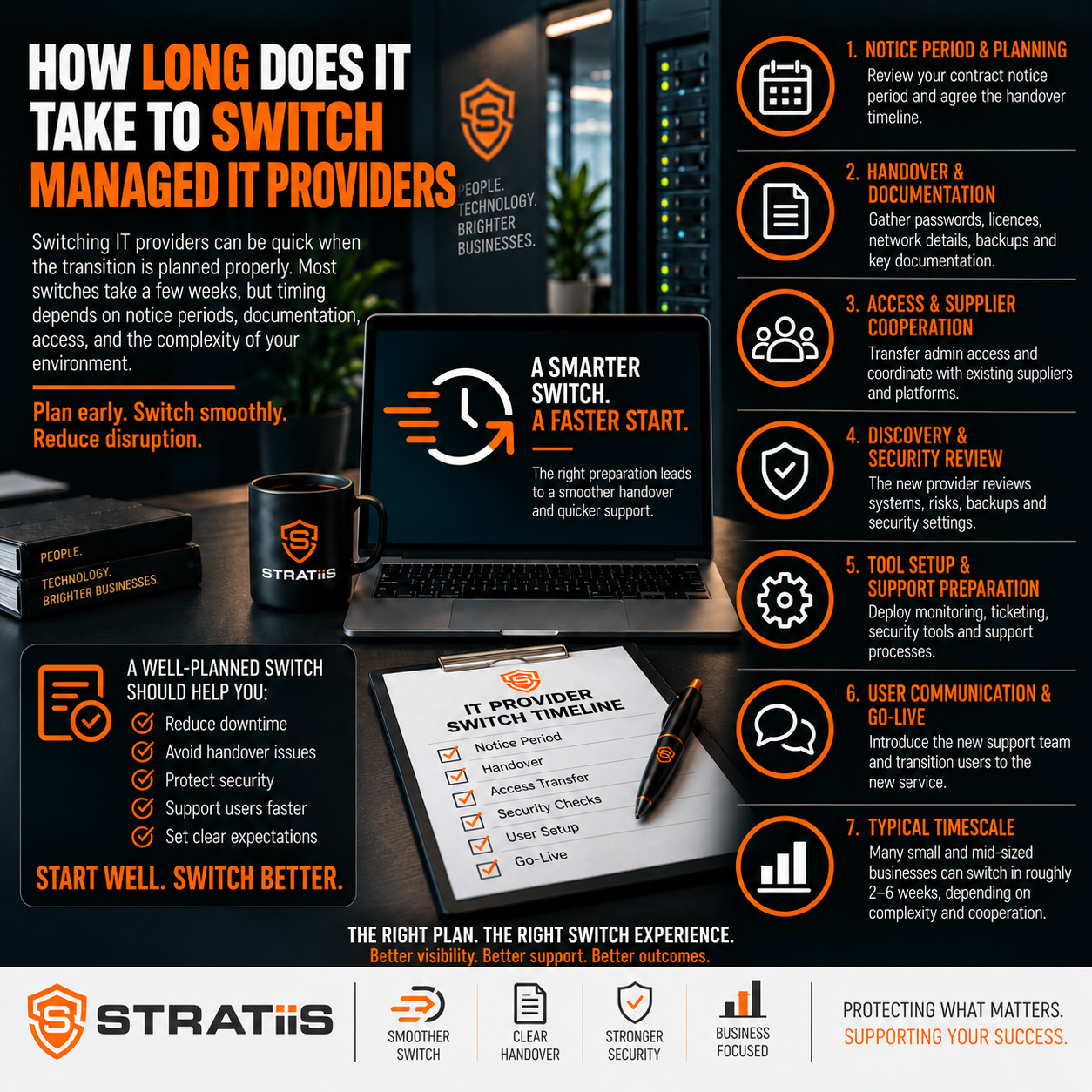

For many small and medium-sized businesses, the practical switch to a new managed IT provider takes one to three weeks. Planning can begin within days, support responsibility may change on a single agreed date, and the new provider should use the first 30 days to complete discovery, stabilise services and build an improvement plan.
How long does it take to switch managed IT providers?
A straightforward business with one site, Microsoft 365 and standard cloud-managed devices may complete most onboarding in 5–15 working days. A multi-site organisation with servers, specialist systems, several suppliers or weak documentation may need several weeks. Speed matters, but secure access transfer, verified backups and uninterrupted support matter more.
In this guide
A REALISTIC TRANSITION PLAN
What Is a Typical Timeline for Changing MSP?
The stages often overlap. The formal change of helpdesk responsibility can happen on one day, while discovery and improvement work continues after that date.
| Stage | Typical timescale | Main outcome |
|---|---|---|
| Initial planning | 1–5 working days | Agree dates, responsibilities, contacts and risks. |
| Information gathering | 3–10 working days | Collect users, devices, suppliers, systems and contracts. |
| Access and documentation handover | 3–10 working days | Transfer and test administration access securely. |
| Tool deployment and cutover | 5–15 working days | Activate monitoring, support, security and backup oversight. |
| Review and stabilisation | First 30 days | Confirm control, identify risks and agree improvements. |
WHAT DETERMINES THE TIMESCALE
Why Do Some Provider Switches Take Longer?
People and devices
More users mean more accounts, computers, applications, licences and support requirements to discover and manage.
Locations and networks
Each office may have different connectivity, firewalls, switching, Wi-Fi, equipment and local suppliers.
Servers and applications
On-premises infrastructure and specialist business systems require deeper technical and supplier discovery.
Microsoft 365 complexity
Multiple domains, SharePoint, Teams, Intune, Conditional Access and hybrid identity add review work.
Documentation quality
Complete inventories, network diagrams and access records speed the switch; missing information creates discovery work.
Outgoing provider cooperation
A prompt, professional handover reduces uncertainty. Delayed credentials or incomplete records extend the transition.
The condition of the environment is often more important than employee numbers. A well-documented 100-person organisation may be easier to onboard than a smaller business with unknown systems and unclear ownership.
BEFORE SUPPORT CHANGES HANDS
How Should the Transition Work?
Agree the transition date
Set the new start date, outgoing provider end date, overlap period, support responsibilities and escalation contacts.
Collect the service record
Document users, devices, Microsoft 365, networks, servers, backups, business applications, suppliers and contracts.
Verify administrator access
Test access to Microsoft 365, domains, DNS, firewalls, servers, backup platforms, security systems and network equipment.
Prepare users
Explain when support changes, how to contact the new helpdesk and what applications or security prompts may change.
Deploy and validate tools
Install monitoring and support software, confirm protection is active and avoid gaps while old tools are removed.
Transfer responsibility
Move the helpdesk on the agreed date, monitor closely and keep a clear route for urgent escalation.
The new provider should request the right information early. See What Information Should Your New IT Provider Ask for During Onboarding?
SUPPORT CONTINUITY
Can You Change IT Provider Without Downtime?
Usually, yes. Changing who delivers support does not normally require the whole business to stop. Users can continue working while the new MSP builds documentation, reviews Microsoft 365 and deploys management tools.
What may change on cutover day
The support phone number, email address or portal; responsibility for new tickets; remote support software; and the start of removing old provider access.
What may need a maintenance window
Firewall changes, network upgrades, major security platform replacement or server configuration work should be planned outside critical periods.
A short overlap between providers is often useful. Responsibilities must be explicit so users know who to contact and neither provider assumes the other is handling an incident.
For a fuller risk plan, read How to Switch IT Providers Without Disrupting Your Business.
CONTROL THE TECHNICAL CHANGE
How Long Do Tool, Security and Backup Changes Take?
Cloud-connected devices can often receive software automatically, but offline and remote devices may take longer.
Stage the new protection before removing the old product so devices are never left unprotected.
Administration can transfer quickly when access exists; understanding identity, licences and security settings takes longer.
The provider may retain, take over or replace the platform. Recovery and monitoring must be verified before the change is complete.
Sites can sometimes be onboarded in phases while central support responsibility changes on one date.
Confirm ownership, support contacts, integrations and escalation paths for every critical system.
The goal is continuous protection and support. Removing an old security or backup tool before its replacement is working creates avoidable risk.
FROM CUTOVER TO CONTROL
What Should Happen in the First Week and First 30 Days?
First week
Verify administration access, confirm support contacts, review the handover, activate monitoring, check backups, assess core security controls and record urgent risks.
First 30 days
Complete a wider review of Microsoft 365, cybersecurity, backup, devices, hardware lifecycle, networks, licensing and business applications.
By the end of the first month, the MSP should understand the environment well enough to provide a prioritised improvement plan rather than simply responding to tickets. Read What Happens in the First 30 Days After Changing IT Provider?
COMMON SOURCES OF DELAY
What Can Slow Down a Managed IT Provider Switch?
Missing credentials
Access recovery through Microsoft, registrars, carriers or vendors can take longer than a normal handover.
Unclear ownership
Domains, licences and cloud accounts controlled by a supplier create dependencies and uncertainty.
Undocumented systems
Unknown servers, applications or network equipment must be discovered before they can be supported safely.
Unsupported technology
Old hardware and software may require urgent remediation or a temporary support arrangement.
Third-party coordination
Internet, telephony, software and equipment vendors can add lead times and contract dependencies.
Competing tools
Existing monitoring, backup or security agents may need careful removal before replacements work correctly.
CHOOSE THE RIGHT START DATE
When Should You Start Planning the Switch?
Begin before the current agreement expires. Review the renewal date, notice period, auto-renewal terms and any obligations to return equipment or pay termination charges.
| Planning window | What it allows |
|---|---|
| 90 days or more | Provider selection, due diligence, contract review and an orderly handover plan. |
| 30–60 days | A practical transition for many straightforward environments when access and documentation are available. |
| Less than 30 days | Possible in some cases, but priorities and temporary arrangements may be needed. |
| Urgent change | Secure critical access, support and protection first; complete discovery in controlled phases. |
Avoid year-end, large system migrations, office moves and seasonal peaks where possible. If the timing cannot move, include extra support coverage and rollback arrangements.
Before renewing automatically, use What Should You Check Before Renewing Your IT Support Contract?
A CLEAR FINISHING POINT
How Do You Know the MSP Transition Is Complete?
The new provider has the required access and the outgoing provider’s access has been removed.
Support contacts, hours and escalation routes are clear.
Managed devices and critical systems report correctly.
Security controls and backups are operational and tested.
Inventories, network information, suppliers and administration details are documented.
Urgent gaps and longer-term improvements have priorities, dates and accountable owners.
The switch should leave the business with better visibility and control. A vague handover, unchecked backups or old administration accounts are warning signs that onboarding is unfinished.
FREQUENTLY ASKED QUESTIONS
Questions About Switching Managed IT Providers
Can the actual cutover happen in one day?
Yes. Support responsibility can change on an agreed day even though discovery and improvement work continues afterwards.
Should the old and new MSP overlap?
A short overlap is often helpful for documentation, access checks and escalation, provided responsibilities are clearly defined.
What if the outgoing MSP is uncooperative?
The new provider may need to recover ownership and access through cloud providers, registrars, carriers and vendors, which can extend the timeline.
Can we switch during a busy period?
Yes, but plan extra safeguards, avoid unnecessary technical change and agree enhanced support coverage.
How can we make the switch faster?
Prepare user, device, supplier, site, contract and application records, then identify decision-makers and critical systems.
Should complexity stop us changing provider?
No. A controlled plan can manage complexity, while staying with poor support or weak security may carry a greater continuing risk.
Planning a Change of IT Provider?
Stratiis can assess your current environment, identify transition risks and build a structured onboarding plan for your organisation.


